
Prompt Guy
Engineer and manage prompts locally
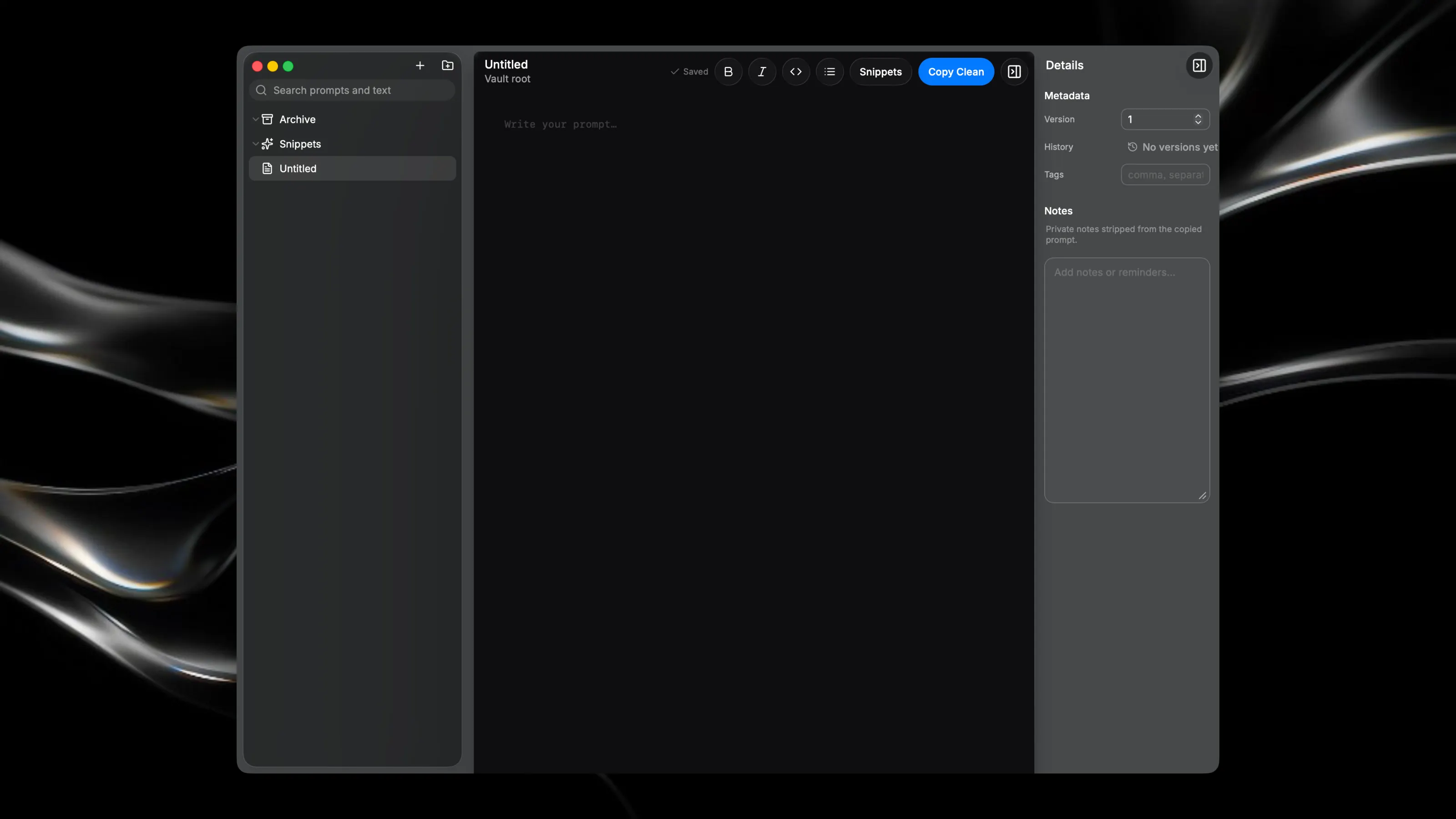
Prompt Guy is a local-first, keyboard-driven workspace for engineering and managing AI prompts stored as plain Markdown files on your Mac — no cloud, no API keys, no network calls. Point it at any folder (your "vault") and it becomes a three-column writing environment: a searchable file tree on the left, a distraction-free Markdown editor in the center, and a collapsible notes-and-metadata inspector on the right. Every prompt is just a .md file with YAML front-matter for tags and version info, a body, and an optional hidden notes block — so your files stay portable and readable outside the app too. Built for speed: hit ⇧⌘C to copy a clean prompt with front-matter and notes automatically stripped out, ⌘N to start a new one, and ⌘P to jump anywhere via full-text command palette search. Reusable text blocks live in a Snippets folder and drop into your cursor position with one click. Top-level folders act as projects — pin your active ones, color-code them, drag files between them. Every save is quietly versioned, so you can open a diff and roll back a prompt to any point in the last 30 snapshots. Deleted files go to the Trash, not oblivion. No AI runs inside the app itself — it's a fast, native tool for organizing and shaping the prompts you write, so they're ready whenever you paste them into whatever model you're using.