What's new

Discover the latest releases in Glaze

App Remixing & Native Swift support

image

In this release, we introduce App Remixing: a new way to build in Glaze, starting from an existing app from the public store as the base. This is useful, whenever you want to create your own version of an app you like, as well as when you want to use certain aspects of its design or functionality.

✨ New

  • Remix: Remix an app from the store to get your own editable copy, with the original app credited on both sides. Organization members can remix team apps, and publishers on a paid plan can opt out of being remixed.
  • Made to Remix: A curated collection of apps picked as good starting points. Remixing one gives you an independent app, with no attribution badge and no link back to the original.
  • Build from a reference app: Ask the agent to read another available to remix public app's source while building yours.
  • Store: A new ‘Remixable’ section where you can see all apps that can be remixed
  • My Projects composer: The empty state now has a composer and a browsable grid of remixable apps, so you can start your first project without leaving the page.
  • Agent window: A browsable grid of remixable apps is displayed when you kick off a new project
  • Restore: Restore your published apps from the Store locally or on a new machine

📦 SDK & Developer Changes

  • Native Swift support: When an app needs deeper macOS integration, the agent can now add native Swift capabilities, use Apple frameworks, run continuous background work, and stream live native data. Apps using Swift can be published like any other Glaze app. These projects require Xcode 16.3 or later.
  • Headphone motion: The agent can build apps that react to live movement and orientation data from supported AirPods and other headphones.
  • TimeField: New typable time input, and the system locale is now available inside the app WebView.
  • Smarter AI permission states: AI-powered apps can now adapt their interface based on whether you’ve granted AI access. Checking this no longer triggers a permission prompt or consumes credits.

💎 Improvements

  • Publishing: Screenshot order is preserved when updating an app, and screenshot uploads no longer block the app.
  • Menu bar and tray: Menu bar items keep their position across restarts, and tray icons stay sharp on Retina displays.
  • Renaming: Renaming an app now updates its bundle name to match the new display name.

🐞 Fixes

  • Sign-in: Fixed a session recovery failure that could sign you out and lose stored credentials.
  • Fullscreen: Fixed panels not displaying correctly while an app is fullscreen.
  • Background Apps: Fixed background apps unexpectedly appearing in the Dock when receiving an action.
  • Usage stats: Fixed usage and credit totals breaking once a user's token counts grew past a 32-bit limit.
  • Settings: Fixed spurious errors surfacing in the Settings window.
  • Memory Usage: Fixed a memory leak when apps repeatedly called webContents.executeJavaScript

Bug Fixes & Improvements

image

💎 Improvements

  • Publishing reliability: Glaze now checks that an app is ready before uploading, offers a one-click fix for common project-file problems, retries temporary publishing failures, and correctly packages extra resources created during the build.
  • Agent recovery: More temporary connection and service errors are now retried automatically, so fewer tasks stop unexpectedly.
  • Faster builds: The agent now builds, launches, and checks apps with fewer redundant steps, especially during visual verification.
  • Smarter guidance: The agent better recognizes Glaze’s built-in tools and AI image inputs, helping it use the right capabilities instead of suggesting unnecessary workarounds.
  • Image previews: Full-screen previews now keep their shape while loading, preload adjacent images, and clearly show when an image is unavailable.
  • Sign out: Glaze now asks for confirmation before signing you out.
  • Clearer publishing checks: Glaze now catches missing or outdated npm lockfiles before upload, offers a one-click fix, and warns when unsupported pnpm, Yarn, or Bun files will be omitted.
  • Menu bar icons: Generated apps now render custom menu bar icons sharply on Retina displays and can preserve their position across launches.
  • Menu bar items: Menu bar items now reliably return to their previous position after an app is closed and reopened.

🐞 Fixes

  • Glaze updates: Generated apps can keep running safely while Glaze updates, preventing freezes and ensuring ⌘Q still works.
  • Store and Awards browsing: Fixed stalled pagination, flashing icons, jumping lists, and lost scroll positions in long feeds.
  • App icons: A failed icon change can no longer leave an app damaged or unusable; Glaze safely restores the previous version.
  • Generated changelogs: Fixed the “What’s New?” generator returning a generic “Minor improvements and refinements” message when real app changes were available.
  • Feedback screenshots: Screenshots with localized or non-English file names can now be uploaded successfully.
  • Annotations: Changing selected UI text color no longer changes the color of the annotation editor itself.
  • PDF export: Fixed long documents being exported incorrectly; apps now paginate them cleanly across multiple PDF pages.

Glaze AI: build, publish, and use AI-powered apps

image

✨ Glaze AI

Glaze apps can now use AI seamlessly, with no API keys to configure and no infrastructure to build or maintain.

Describe what you want to build, and the agent can add text generation, streaming responses, image understanding, and image generation directly to your app. When someone uses an AI-powered app, its AI usage draws from their own Glaze credits, with a daily cap.

The first time an app wants to use AI, Glaze asks for permission. You can review or revoke access at any time from Settings → AI Access.

🏆 Glaze Awards

The competition to build the best desktop app with Glaze kicks off on Thursday 23 July, 8am BST (12am PDT). With this release, you will be able to submit your app to the competition for a chance to win up to $10,000. Just publish your app to the Public Store and tag it as an entry.

Visit the new Awards tab in the product, or glaze.app/awards for more details.

✨ New

  • Native Calendar, Contacts, and Reminders: The agent can now build apps that work directly with Calendar, Contacts, and Reminders. These integrations use native macOS permissions you control, without relying on AppleScript or custom helper code. If your existing apps previously integrated with these services, you can ask agent to migrate to new API.
  • Profile sorting: Sort apps on creator profiles by Most Downloaded, Recently Updated, or Newest—both in the desktop Store and on glaze.app.
  • Changelog: See what’s new in Glaze directly from the Account menu.

💎 Improvements

  • App icons and file thumbnails: Improved how the agent adds native macOS app icons and file previews to your apps, making apps that use them much easier to build without the workarounds previously required. Already have an app using app icons or file thumbnails? Ask the agent to update it to the new native image APIs. It will use getFileIconUrl() and getFileThumbnailUrl(), guided by the built-in native images skill.
  • Task retries: After a temporary interruption, Try Again now continues from where the agent stopped and preserves the work it already completed.
  • Fix with Agent: When a rebuild fails, you can send the build error directly to the agent to diagnose and fix.
  • Regional availability: If Glaze isn’t available in your region, you’ll now see a clear explanation instead of a misleading account or subscription error.
  • Local version history: On Macs without Git, Glaze quietly sets up what it needs in the background, avoiding the macOS developer tools installation prompt.

🐞 Fixes

  • Agent chat: Fixed an issue where certain pasted content could leave a project’s Agent chat stuck loading. Affected projects now recover automatically.
  • Steering: Rapid follow-up messages sent while the agent is working are no longer dropped.
  • Store navigation: App pages now open at the top, while returning to the Store restores your previous scroll position without jumping.
  • Sign-in: If a saved session becomes unreadable, Glaze now signs you out cleanly instead of getting stuck restarting.
  • Tooltips: Longer tooltips now wrap instead of being cut off.
  • Store carousel: Carousel controls no longer overlap nearby buttons.

Invite friends, affiliate program and MCP servers in apps

image

🎁 Invite friends, earn rewards

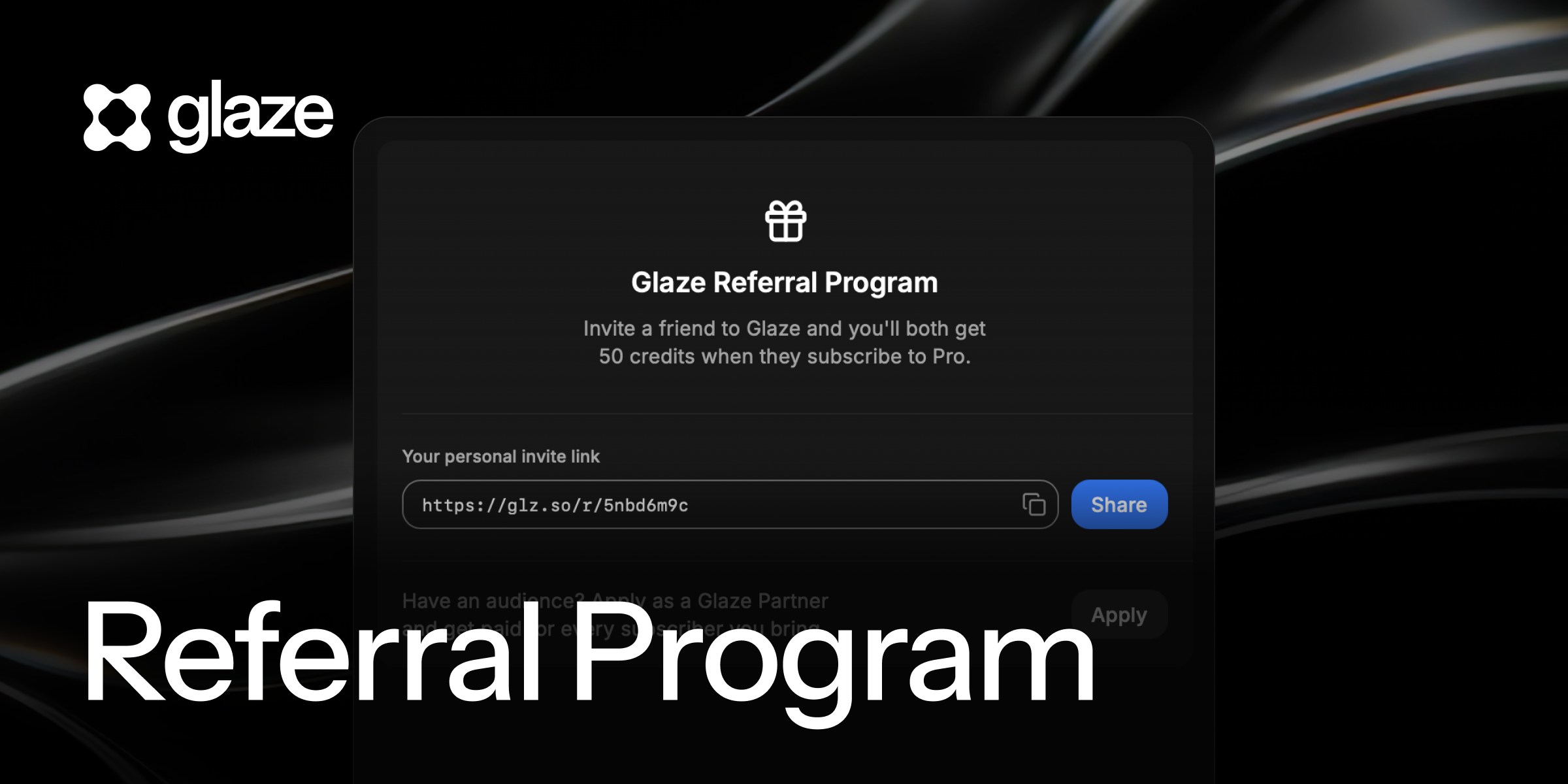
With this update, we are introducing a new Glaze Referral Program. You can now invite your friends to join Glaze with a personal link. Whenever one of them subscribes to Pro, both of you get 50 free Glaze credits each.

You can find your personal link in the "Invite Friends" section in Glaze Settings.

Have an audience? You can also apply to become a Glaze Partner and get paid for every subscriber you bring — you'll find it on the same screen. Learn more about the Affiliate Program on our blog.

✨ New

  • Store cover photos: App detail pages in the store and on the web now show cover photos.
  • Creator rewards: Developers of featured apps now receive credit rewards.

📦 SDK & Developer Changes

  • MCP servers in your apps: The agent can now scaffold MCP servers inside the apps you build.

💎 Improvements

  • Carousel: Smoother carousel interactions in the store.
  • My Projects: Refined button placement in My Projects.
  • App sharing: Links to featured apps and Our Picks collections now show custom preview images.

🐞 Fixes

  • Dock: Fixed the dock bounce for agent confirmations when the window is covered.
  • Tooltips: Fixed tooltip placement.

App Feedback and Queue Editing

image

💬 Send & Receive Feedback

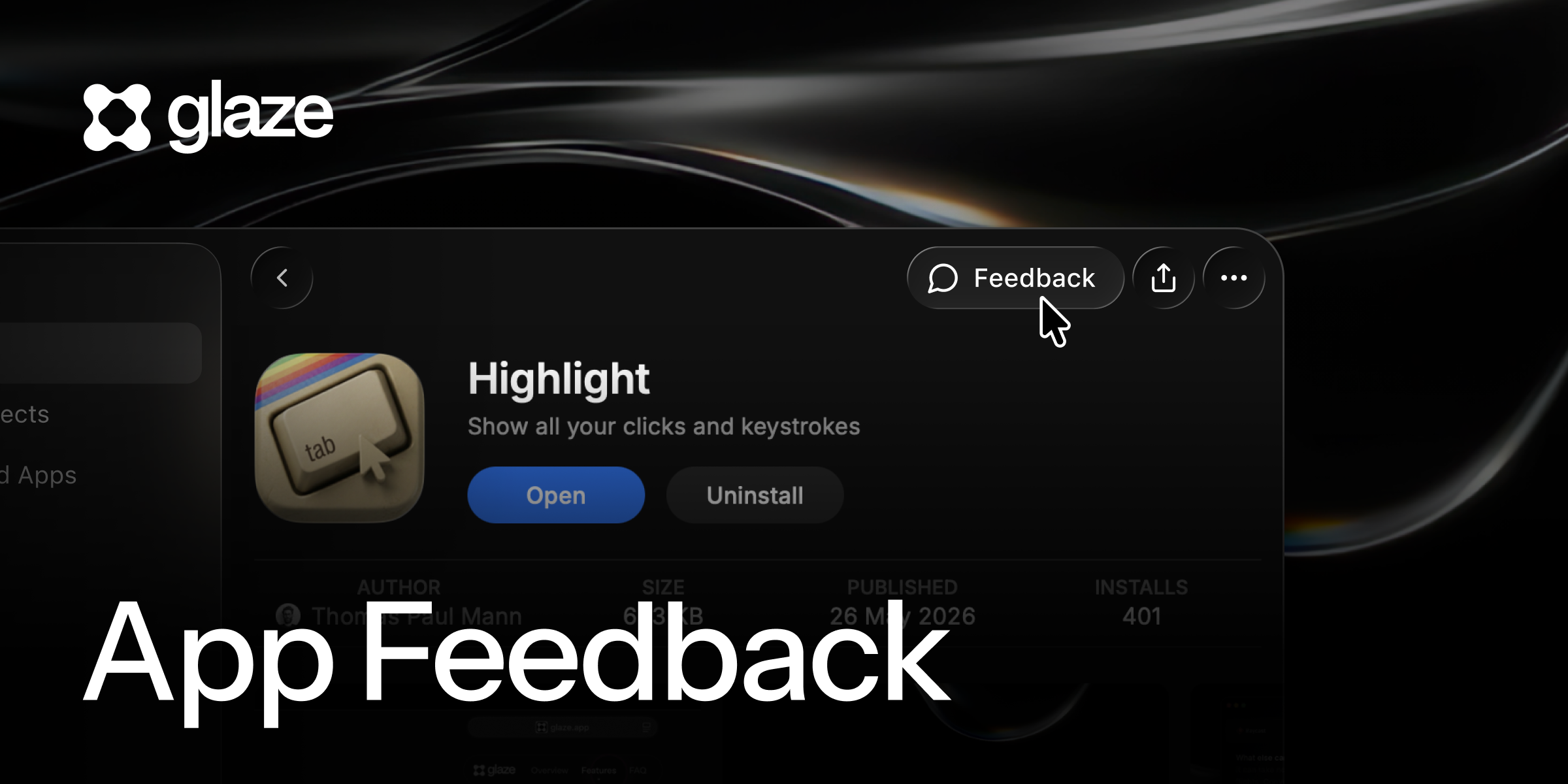
Glaze now allows users to share their feedback on apps they download from the store. If you are an app creator, this means you can receive direct feedback, feature requests and bug reports from your users. And if you are using apps from the store, you have a way to share your thoughts with app creators.

  • Send feedback to app creators, attach screenshots and logs
  • Receive user feedback on your apps by email
  • Use the “Implement with agent” button to address user feedback directly in Glaze

You can access the feedback form from three places: the app’s store page, a Feedback button in your macOS menubar (when the app is open), or by right-clicking the app icon in your dock.

✏️ Edit & Reorder Queue

image

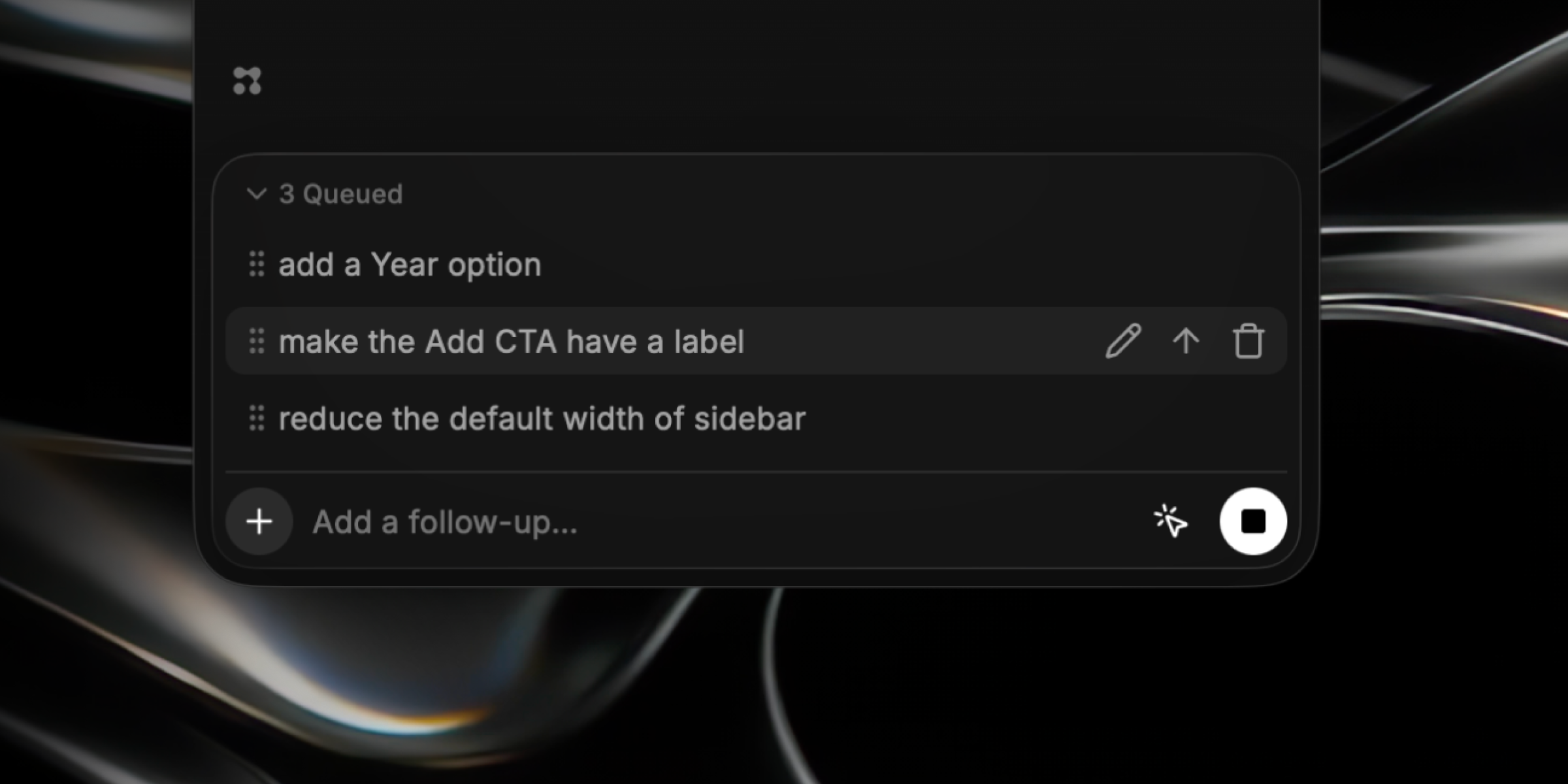
In the Glaze agent, you can now edit your queued messages. You can also click and drag them to reorder your queue. This allows you to decide which items from your queue gets actioned first by the agent, and also, to add additional details or fix any typos you missed at first.

If you decide to send messages from the queue directly, they will steer the conversation and be actioned along with the current item.

In the Annotation view within your app, you can also now edit the queued items by clicking on the dots and making changes.

🔬 Inspector in Annotation

image

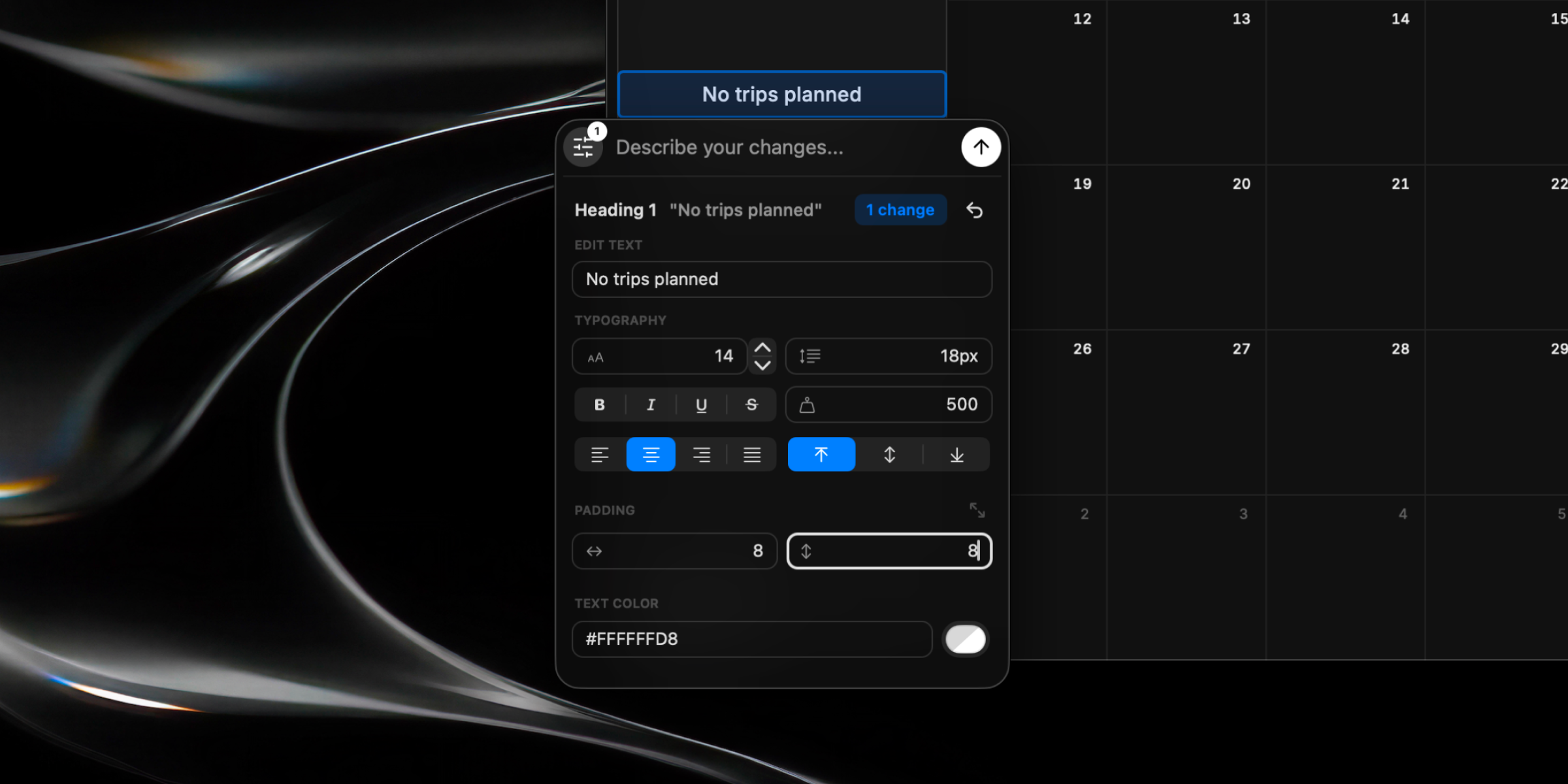
In the Annotation window, you will now see an inspector button that you can toggle on to display a visual inspector related to the selected element. The inspector can allow you to make changes directly, without the need to type a prompt:

  • Modify text content
  • Change typography size, weight and alignment
  • Edit the color of elements and backgrounds
  • Specify padding of elements

✨ New

  • Profile links: Added links to profiles on the store, so you can now enrich your page by adding links to your website, X and GitHub accounts in Account Settings.
  • Plan clarifications: Ask the agent for changes or clarification on a plan before it runs.
  • Completion Sound: Added a Completion Sound toggle to Agent settings.
  • Share Sheet: Added a native share sheet to make sharing your app easier.

💎 Improvements

  • Faster chat history: Opening long conversations is now much faster and memory efficient.
  • Account settings: Refined the Account Settings screen.
  • Agent typography: You can now scale and zoom text in the agent view.
  • Publish errors: When publishing fails for a fixable reason, we now tell you what to fix.
  • Improved hover states: Improved hover states and menu interactions throughout the app.

🐞 Fixes

  • Agent stream: Fixed long agent runs stopping early and the queue getting stuck.
  • Queued messages: Queued messages now pause when the agent hits an inline error.
  • Plans: Keep a single plan card when the agent re-presents a plan.
  • Annotations: Fixed annotations clearing when the app name is changed.
  • Theme: Restore the persisted theme on launch.
  • Screenshots: Fixed screenshot thumbnails sometimes not appearing.
  • Publishing: Fixed publish completion notifications and generated changelogs that were missing real changes on publish update.
  • Imported apps: Fixed the import dialog when opening a packaged app for the first time, and now show a clear error when an imported app fails to launch.
  • Onboarding: Prevented the upgrade screen from appearing to paid users and moved the Terms agreement step.
  • Auth: Fixed sign-in occasionally failing to recover under heavy load.

Bug Fixes and Improvements

💎 Improvements

  • App sharing: Made it easier to share your app after publishing
  • Search Store by author: Find apps from a specific creator in the Store.
  • Cancelled tasks: Cancelling a task now shows feedback and the credits actually spent.
  • Visual polish: Contrast improvements, Settings UI polish, more responsive Store carousels, and cleaner dialogs.
  • Agent windows: Each agent window is named after its project
  • Long content handling: Long code blocks and long message tokens now wrap cleanly in chat.
  • Live inspection: Reined in over-use of live inspection for snappier responses.
  • macOS 27 Beta: Made some visual improvements on macOS 27 Beta to match new design
  • Network: Glaze, Glaze Agent, and Glaze apps now automatically use system proxies and trusted certificates.

🐞 Fixes

  • Capture: Fixed flicker in the capture UI and corrected screenshot capture targeting.
  • Crashes: Fixed a drag-out crash
  • Connectivity: Prevented AI failures when no connections are configured and fixed a TLS failure in the agent runtime.
  • Composer: Removed a pressed-state flicker on the composer plus button.

File Attachments & Team Store Trial

image

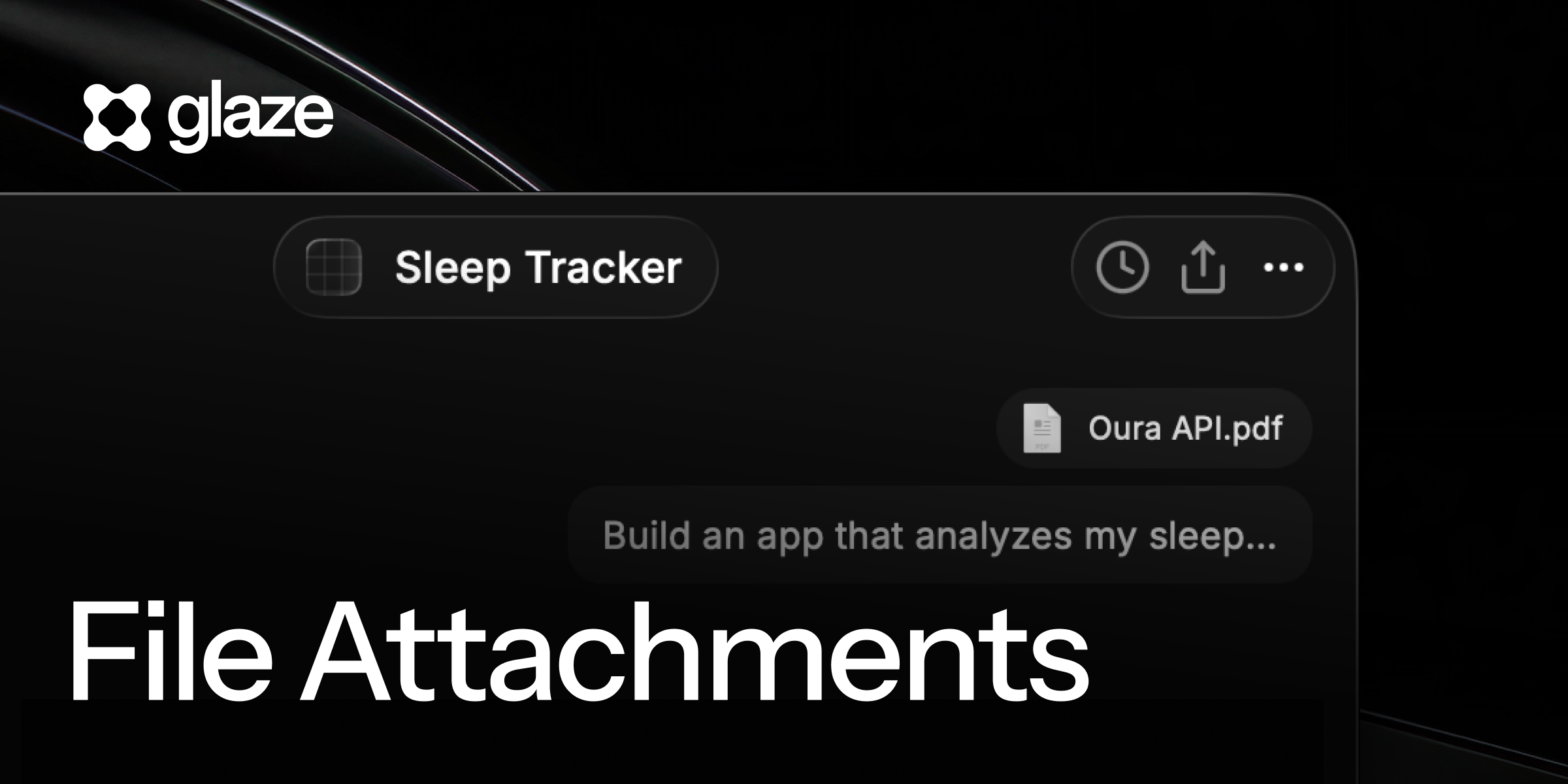
⚡ Attach anything in chat

Bring PDFs, files, and images right into the conversation so the agent can see exactly what you're working with. Drag them into the composer or reference them by path, then ask Glaze to act on that design, log, or document.

👥 Team Store Trial

We’re opening team plans for everyone. Share your apps privately with your teammates with a Team Store Trial. Start one in the app today.

✨ New

  • More commands in slash menu: Invoke Plan mode and integrations directly from the slash menu
  • Clearer Credits usage: See the credits used for each agent turn in the […] menu after each response.
  • In-app Changelog: See whats new after updating Glaze to the latest version
  • Report apps: Report apps in the Store

📦 SDK & Developer Changes

  • Callout component: Adds Callout component useful for showing persistent messages
  • ToolbarBackButton: New toolbar building blocks for building back buttons on detail screens
  • SDK CLI as compiled JS: Faster, more reliable SDK CLI
  • Proxy & CA support: Built apps and the agent now respect system CA and proxies

💎 Improvements

  • Window behavior: Restore the main window from the Dock, and prioritized floating toolbar clicks
  • Clear command: /clear command no longer deletes messages in the chat UI
  • Screen capture: Better permission handling

🐞 Fixes

  • ⌘+Return: Fixed annotations not submitting with the send shortcut
  • Move to Store: Fixed visibility not updating to public
  • Agent errors: Surface specific causes and render them in red
  • Dialogs: Backdrops are portalled correctly preventing overlap with other elements