AccessLens
See who can access your Mac

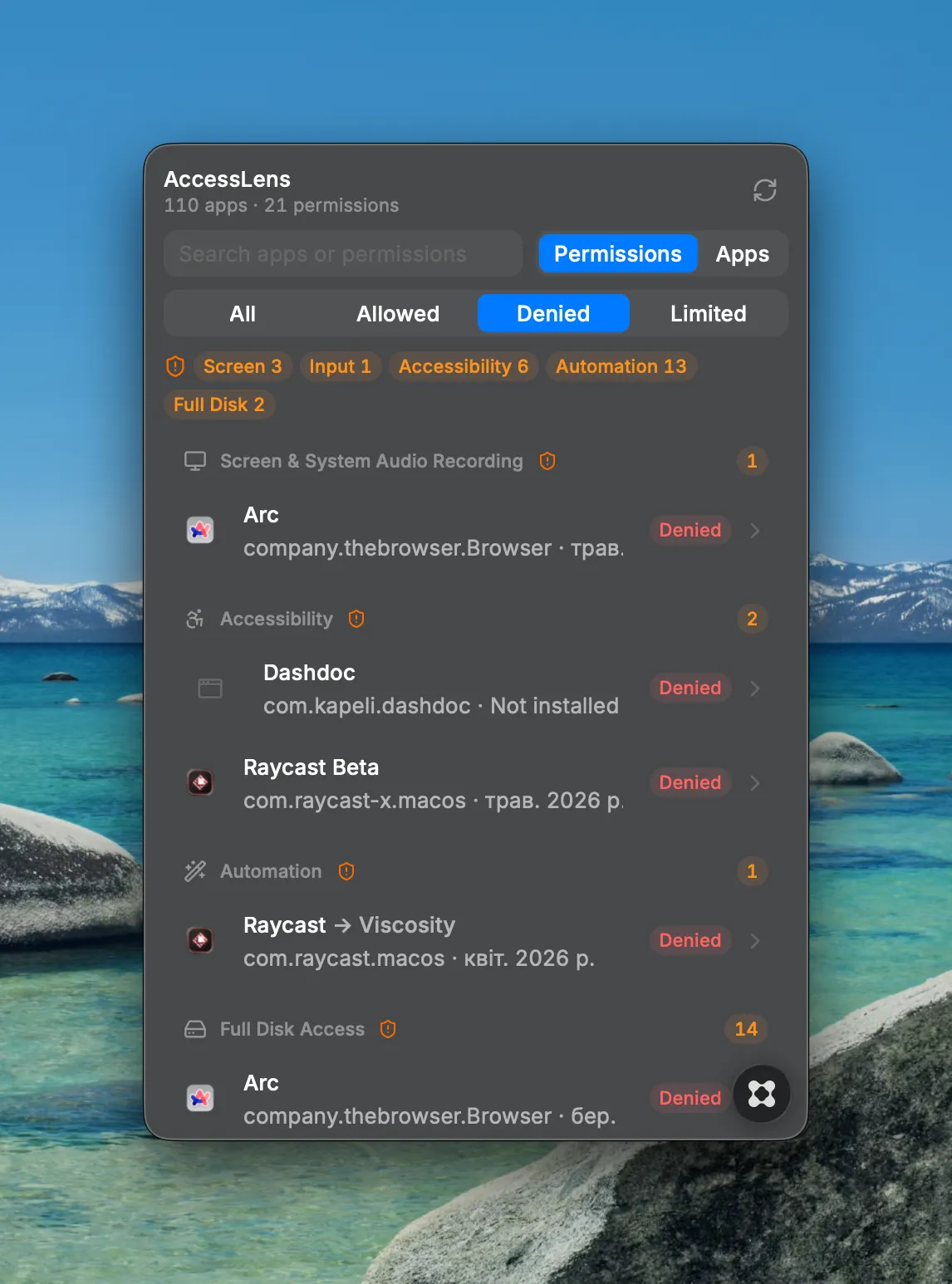
See every permission your Mac apps have — all in one place, right from your menu bar. AccessLens reads macOS's privacy database and shows which apps can use your camera, microphone, screen, contacts, files, and more, so you can quickly spot and revoke access you didn't mean to grant. Key Features: - View 17 permission categories across all your apps at a glance — Camera, Microphone, Screen Recording, Accessibility, Full Disk Access, Files & Folders, Contacts, Photos, and mor - Switch between grouping by permission type or by app - Get an at-a-glance risk summary for sensitive permissions like Accessibility, Screen Recording, Input Monitoring, Full Disk Access, and Automation - Filter by status (Allowed, Denied, Limited) and search by app or permission - See when each grant was made and spot leftover access from apps you've already uninstalled - Jump straight to the exact System Settings pane to revoke any permission in one click Note: AccessLens needs Full Disk Access to read macOS's permission database. The app guides you through granting it on first launch.