AutoSort
Organize files automatically with AI

About AutoSort
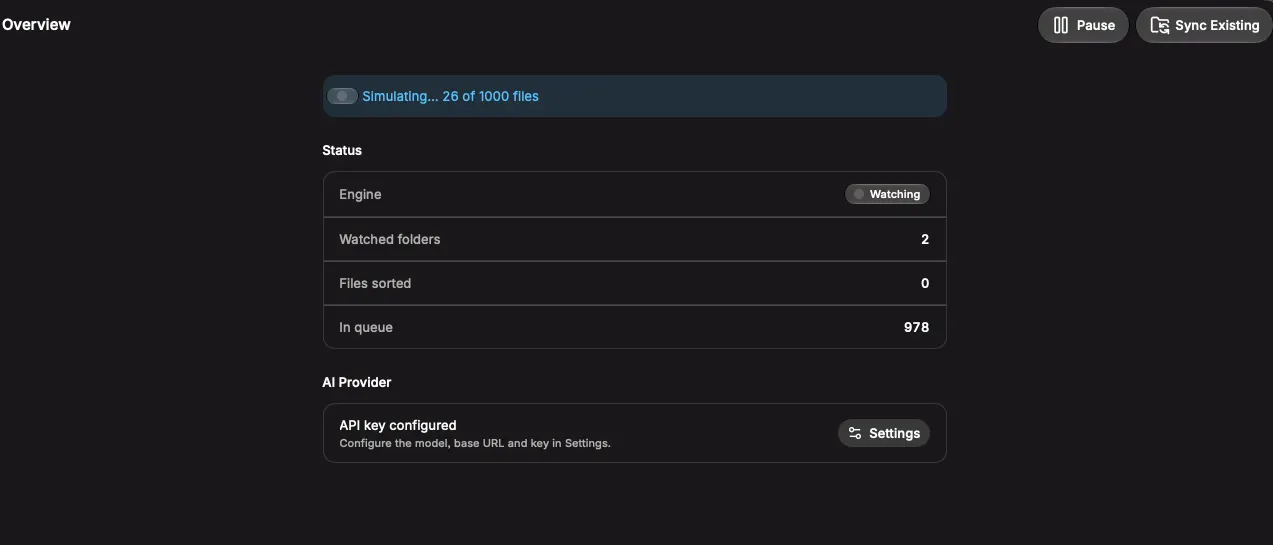
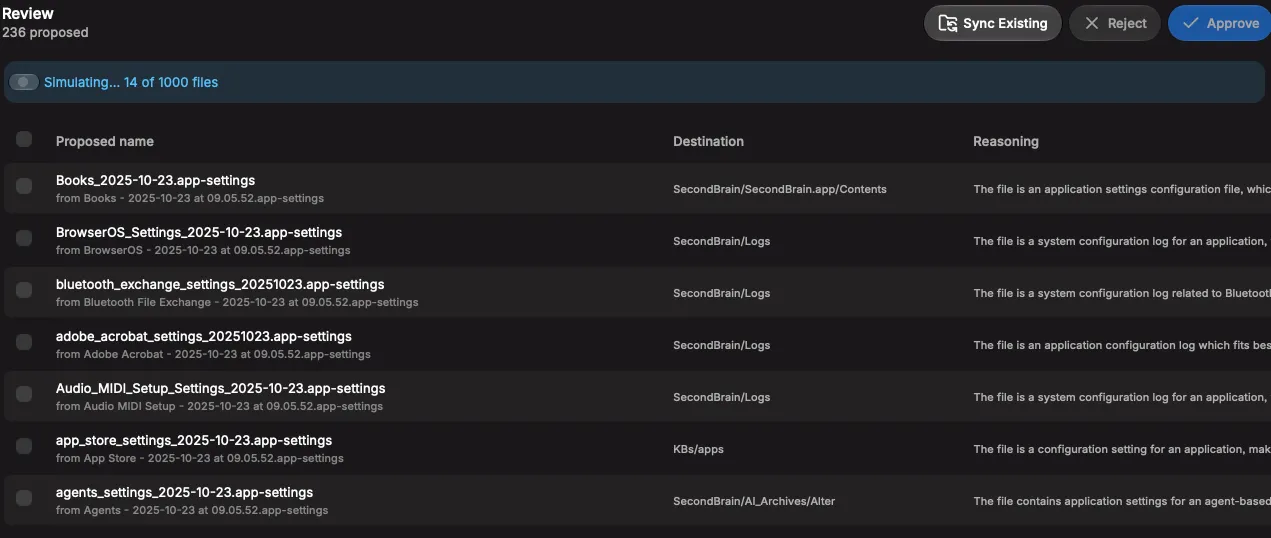
AutoSort — AI-powered file organization for macOS AutoSort watches the folders you choose and automatically organizes new files into sensible subfolders, using AI to decide where each file belongs — so your Downloads, Desktop, or project folders never turn into a mess again. How it works Drop a file into a watched folder (or drag it straight onto the menu-bar icon), and AutoSort sends its name and metadata to an AI model, which returns a clean filename, a target subfolder, and its reasoning. The file is moved instantly — safely, with no overwrites — and you get a native notification with one-tap Undo or Show in Finder. Key features Real-time folder watching — monitors any folder you add, with smart filtering so temp/in-progress files are ignored. Bring your own AI — works with any OpenAI-compatible API (OpenAI, local models, or any compatible provider) — you control the base URL, model, and key. Two modes per folder — fully automatic sorting, or a review queue where you approve/reject AI suggestions first. Flexible destinations — sort files in place under their source folder, or route everything into shared destination folders that the AI picks between. Batch sync — run a dry-run scan across existing files and approve a batch of proposed moves at once. Full history & undo — every move is logged with the AI's reasoning, searchable, and reversible. Drag-and-drop onto the tray icon — sort files or entire folders instantly without opening the app. Lives in the menu bar — no dock icon, minimal footprint, always ready. Who it's for Anyone drowning in a cluttered Downloads folder, freelancers organizing client files, or teams who want consistent, automatic file structure without manual sorting.