Dock Shifter
Flip your Dock. Save your neck.
About Dock Shifter
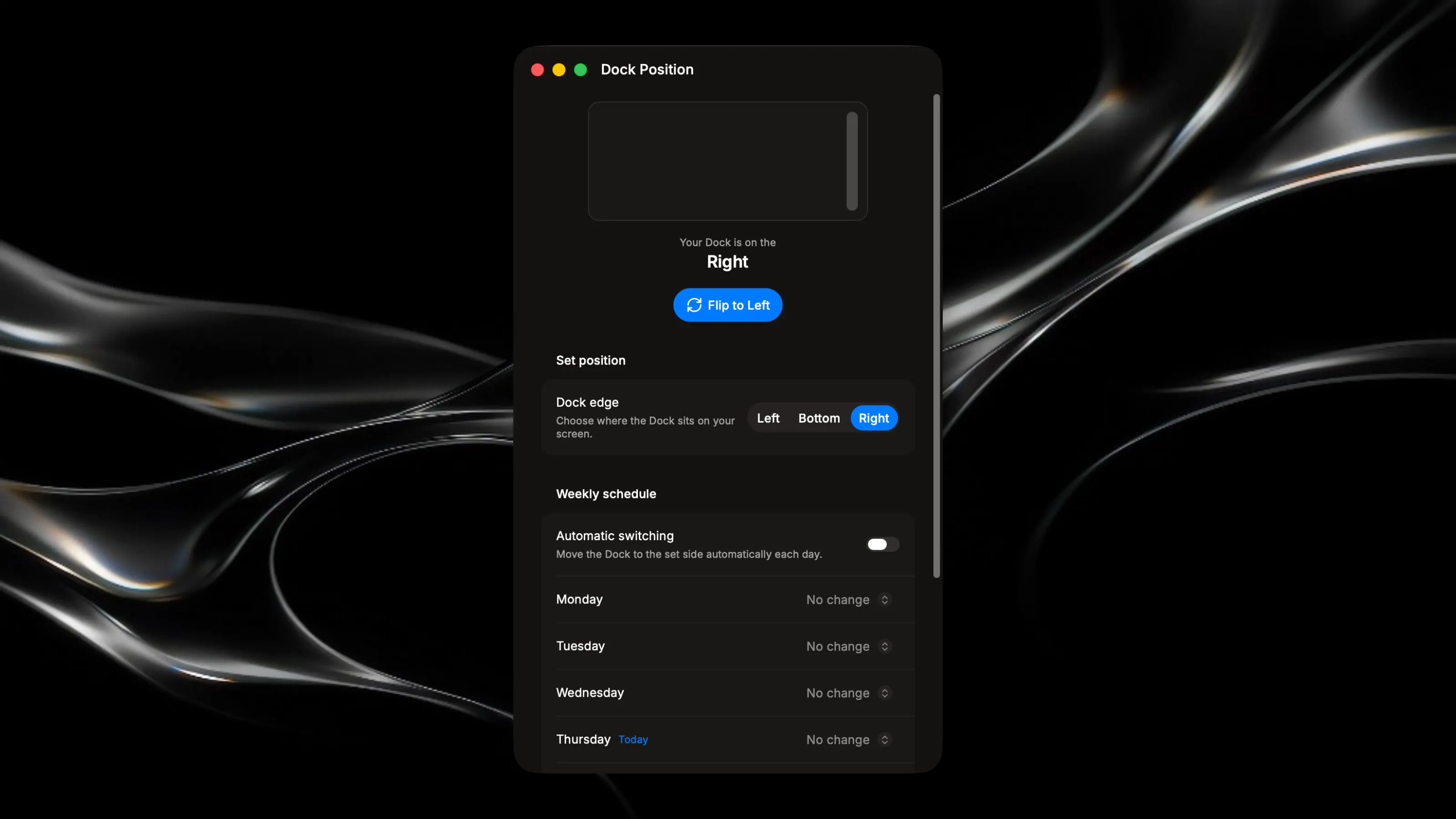
Dock Shifter lets you instantly move your macOS Dock from left to right, or anywhere, with a single click or on a fully automated weekly schedule. Designed for multi-monitor users and anyone who needs to change their screen layout daily. ⚡ What You Can Do One-Click Flip Hit the Flip button at the top of the app, and your Dock instantly swaps between left and right. The button always shows you where it's headed next. Manual Positioning Prefer full control? Use the Left / Bottom / Right segmented control to place your Dock exactly where you want it, any time you want. Weekly Auto-Schedule Enable the weekly schedule and assign a Dock position — or "No change" — to each day of the week. Dock Shifter will automatically apply the right position once per day, so your setup is always ready before you even sit down. Today's day is clearly marked in the schedule so you always know where you stand. 💡 Why I Built This My monitor setup changes every day, literally. Depending on the day, my main screen sits on my left or my right, which means my Dock is always on the wrong side and my neck is always paying the price. My physician flagged it: constantly looking in the same direction was causing real, repetitive strain. I looked for a solution, found nothing simple enough, and built Dock Shifter.