Hacker Reader
Read Hacker News with clarity

About Hacker Reader
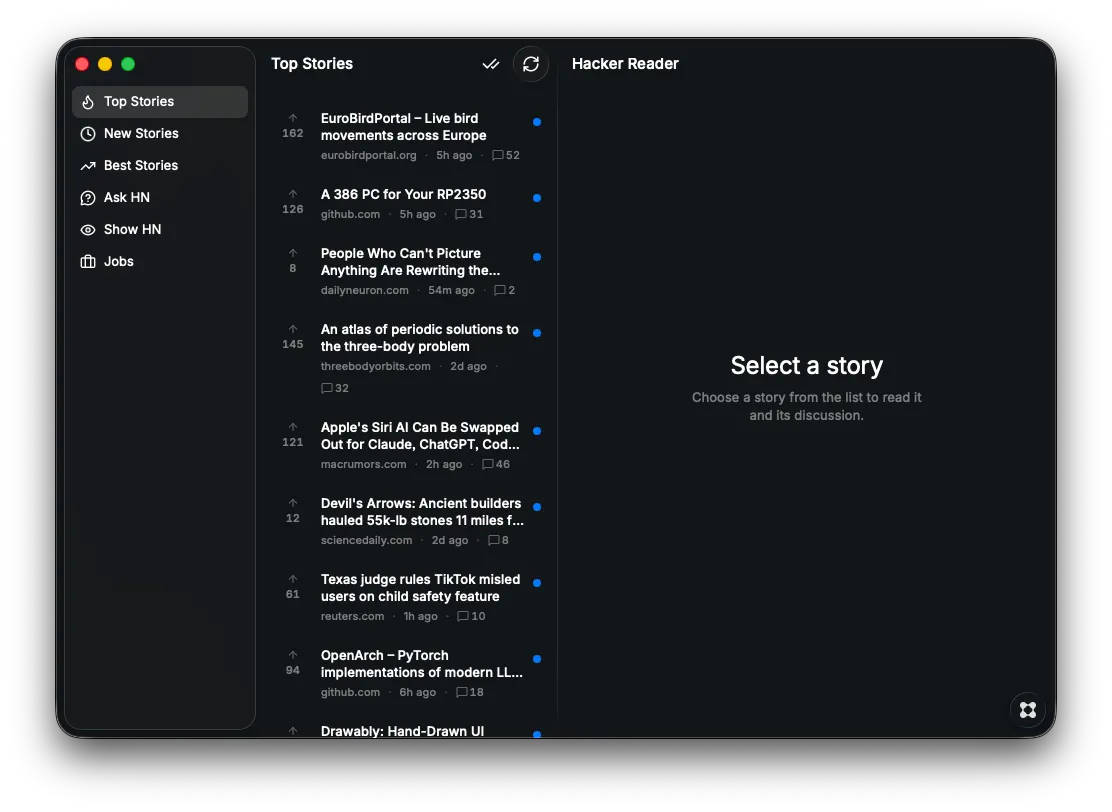
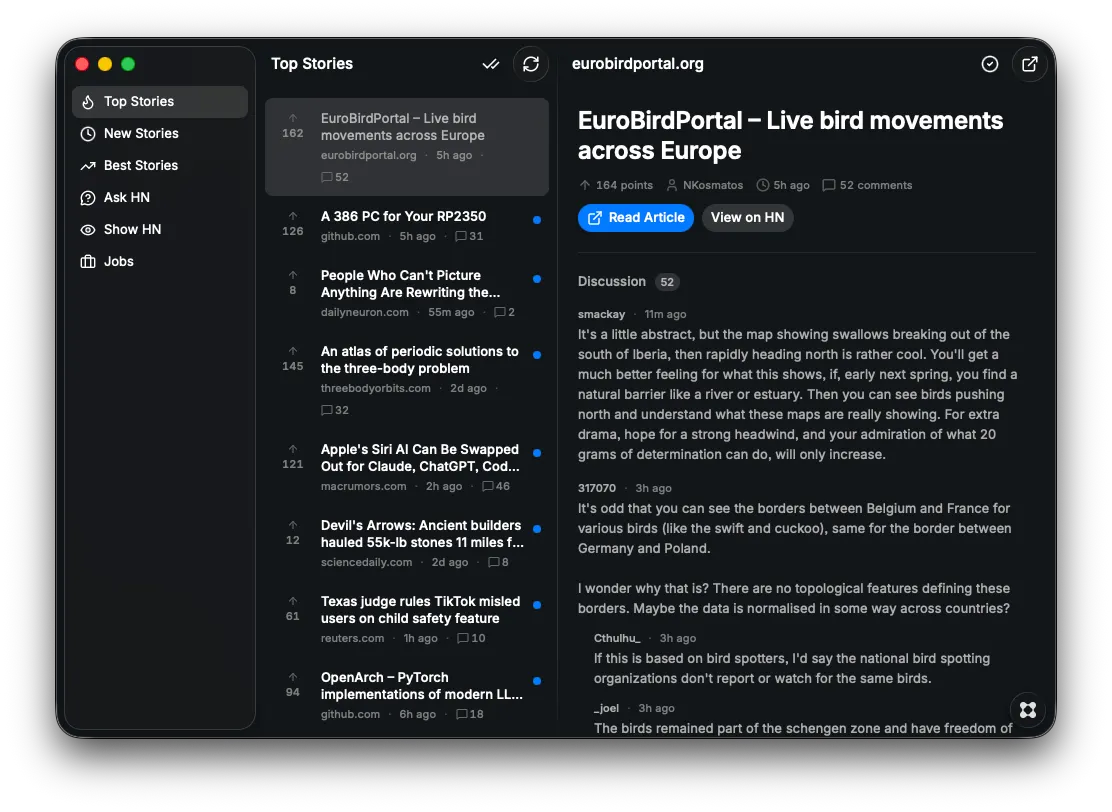
Hacker Reader is a clean, modern Hacker News client for macOS that transforms the Hacker News experience into a beautifully designed, easy-to-navigate interface inspired by productivity tools like Notion and Linear. Layout A three-column split view: Sidebar — Feed categories (Top Stories, New, Best, Ask HN, Show HN, Jobs) each with icons Story List — Scrollable list of stories with score, domain, time ago, comment count, and job badges Story Detail — Full story view with metadata, action buttons, self-post text, and threaded comments Key Features Six feed categories — Top, New, Best, Ask HN, Show HN, and Jobs, each with its own icon Read/unread tracking — Unread stories appear bold with an accent-colored dot; read stories use muted styling (like an email client). Stories auto-mark as read when you open them. You can manually toggle read/unread from the detail view toolbar, and a "Mark all read" button clears the entire current feed. State persists across app restarts via localStorage. Threaded comments — Recursive comment threading up to 6 levels deep with proper indentation, plus handling for deleted and dead comments Self-post rendering — Ask HN and similar text posts render inline without needing to visit the site Story actions — "Read Article" opens the link, "View on HN" opens the original Hacker News page Auto-refresh — Feeds refetch every 10 minutes; data stays fresh for 60 seconds between navigations Skeleton loading states — Smooth loading placeholders while stories and comments fetch Error handling — Graceful error states with retry options Technical Details Fetches directly from the public Hacker News Firebase API — no backend or database required Built with React, TanStack Router, TanStack Query, and Glaze's native macOS component library Window size: 1000×700 (minimum 390×456) Read/unread state capped at 5,000 entries to prevent unbounded growth