Health Fusion
Your Apple Health & WHOOP data, unified.


About Health Fusion
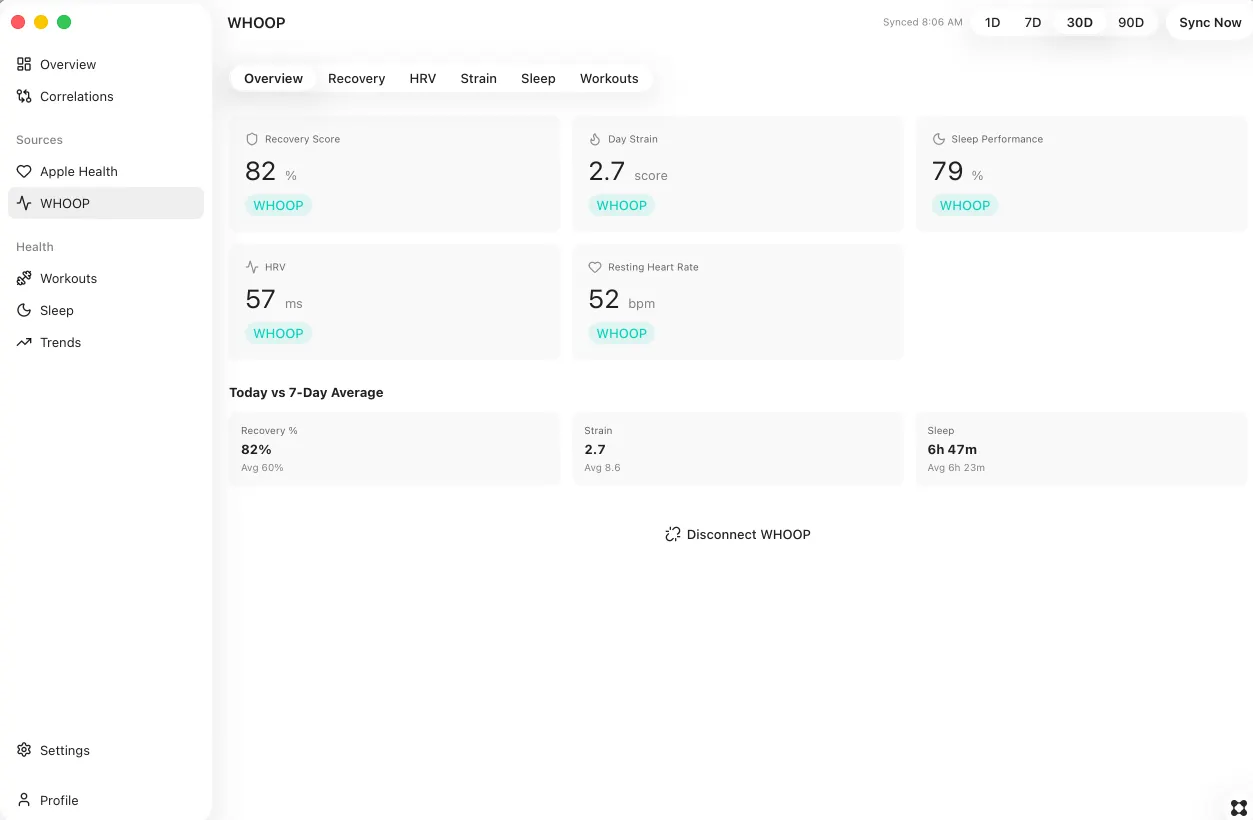
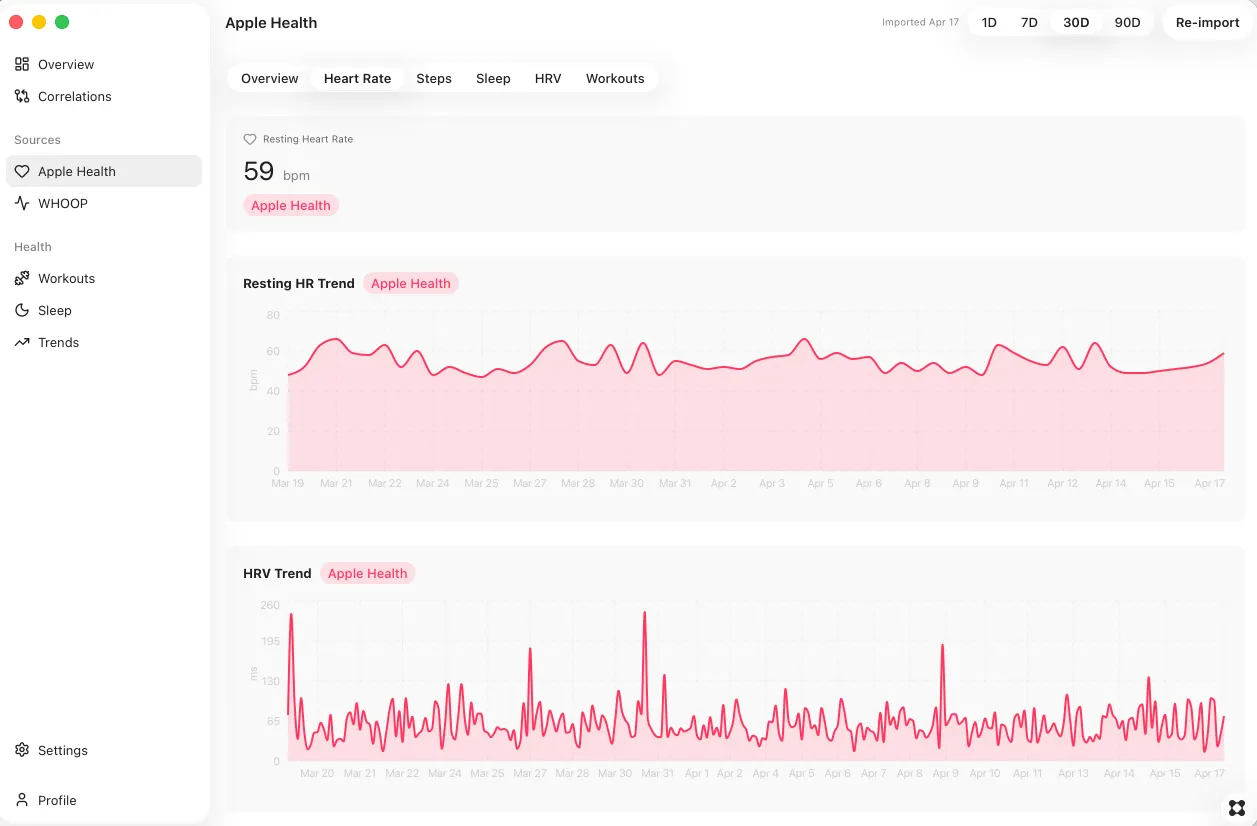
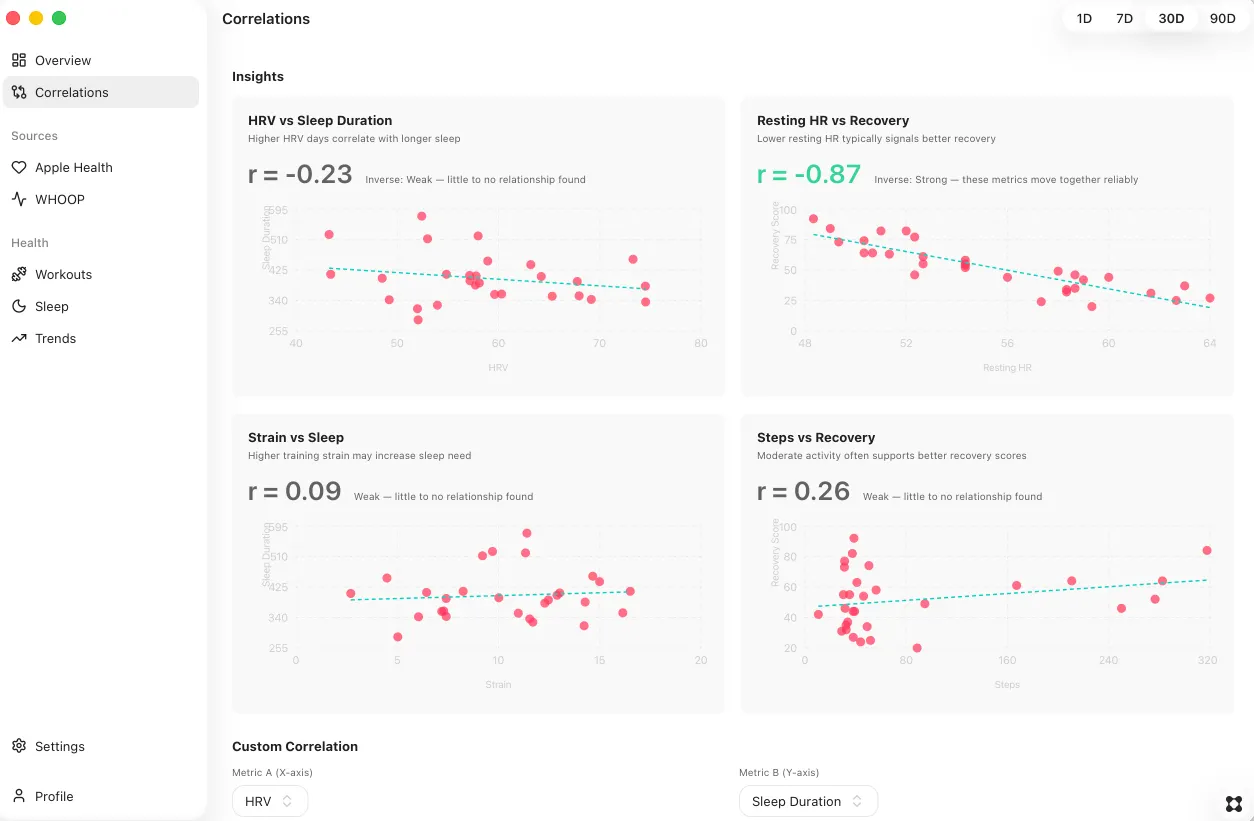
Health Fusion is a native macOS dashboard that brings your Apple Health and WHOOP data together in one place — no browser, no subscriptions, no cloud. At a glance, every day The Overview gives you today's key metrics in a single view: steps, active calories, resting heart rate, HRV, recovery score, sleep duration, and strain. Charts show the past 7 or 30 days at a glance so you can spot patterns without digging. Deep dives when you need them Dedicated sections for Apple Health and WHOOP let you explore each source in detail — heart rate trends, sleep stages, step history, HRV over time, recovery scores, strain, and a full workout log with per-session stats. See what's connected The Correlations view plots your metrics against each other — sleep vs. HRV, strain vs. recovery, and more — with Pearson correlation coefficients and regression lines so you can understand what's actually driving your performance. Sleep, done right Sleep is attributed to the morning you wake up, not the night you went to bed. Duplicate readings from iPhone and Apple Watch are automatically deduplicated. Apple Health and WHOOP sleep are merged, not stacked. Your data stays on your Mac Apple Health data is imported from an export ZIP and parsed locally. WHOOP syncs directly via OAuth. Nothing leaves your machine. Get started in minutes A built-in setup guide walks you through exporting from Apple Health and connecting WHOOP — step by step, with a demo mode if you want to explore before importing your own data. Features - Unified Overview with today's snapshot and 7/30-day charts - Apple Health import (ZIP export, parsed locally) - WHOOP OAuth sync with encrypted credential storage - Steps, active calories, sleep, heart rate, HRV, recovery, strain, workouts - Correlation scatter plots with regression lines - Sleep stage breakdown and trends - Workout log with per-session detail - Dark mode, native macOS design - Demo data mode — explore without importing anything