Bookmarks
Bookmarks in your menu bar

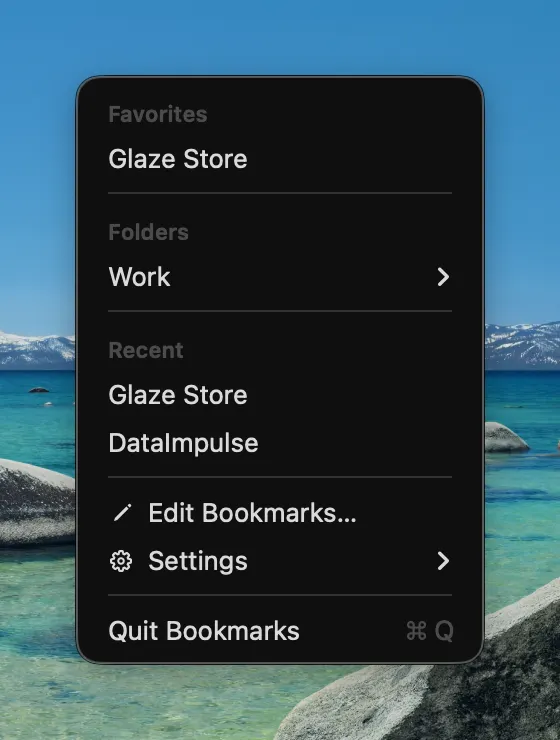
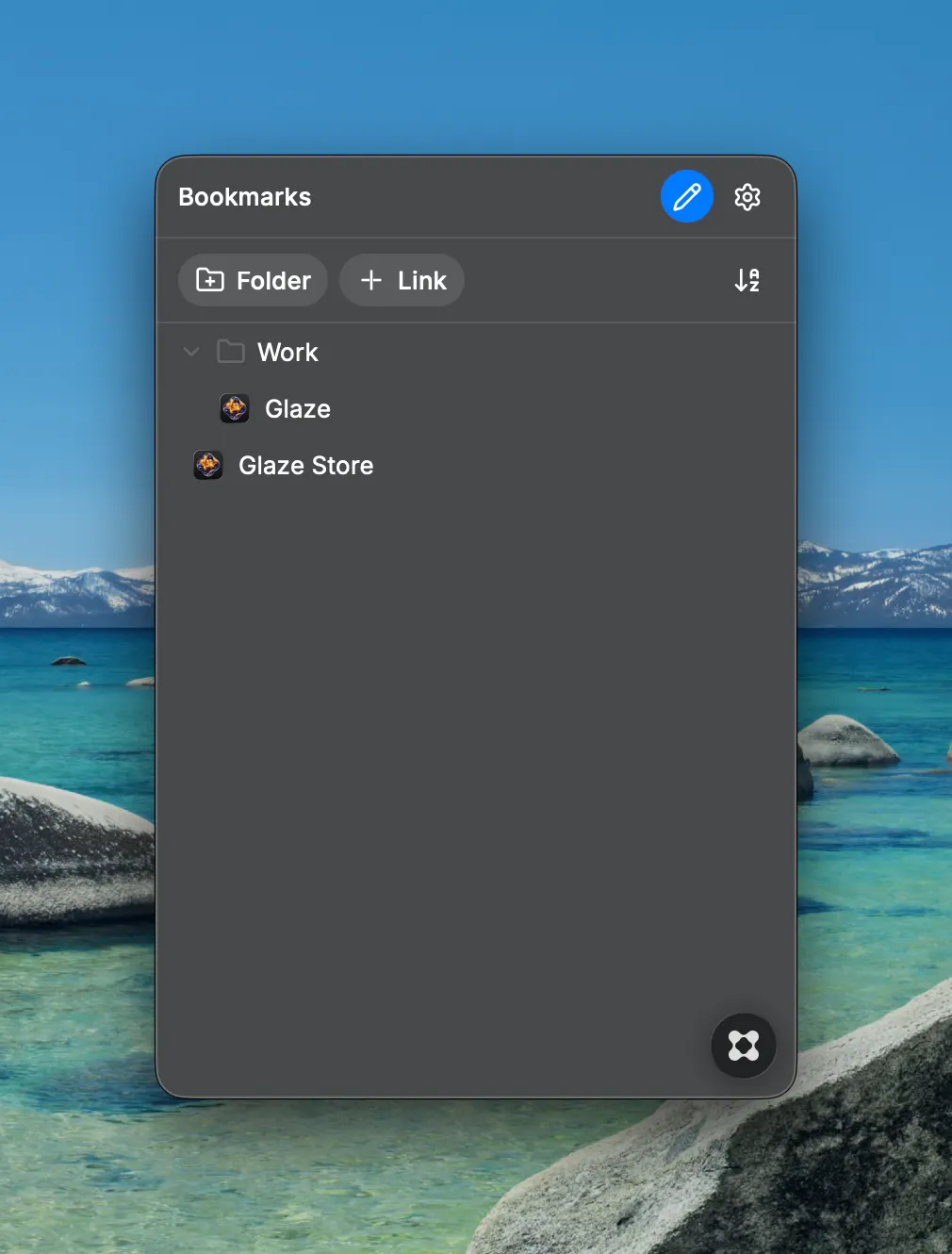
Bookmarks puts your favorite links right in the macOS menu bar. Click the icon and a clean native menu appears — favorites on top, folders as nested submenus, and your recently opened links one level below. No windows, no clutter, no dock icon. Organize links into folders and subfolders, reorder them by hand or sort everything A–Z, and open any link in the browser you choose — Safari, Chrome, Firefox, Arc, Brave, Edge and more are detected automatically. Arc user? Turn on "Open in Main Window" and links open as tabs in your main Arc window instead of a Little Arc popup. Features: - Native menu-bar menu: Favorites, Folders as submenus, Recent links - Built-in editor: add, rename, delete and reorder folders and links - Manual sorting with one-click A–Z option - Open links in any installed browser, or the system default - Arc: open links directly in the main window - Launch at Login - Lightweight and fully offline — your bookmarks are stored locally