
Mite Tracker
Monitor and manage Mite time tracking
About Mite Tracker
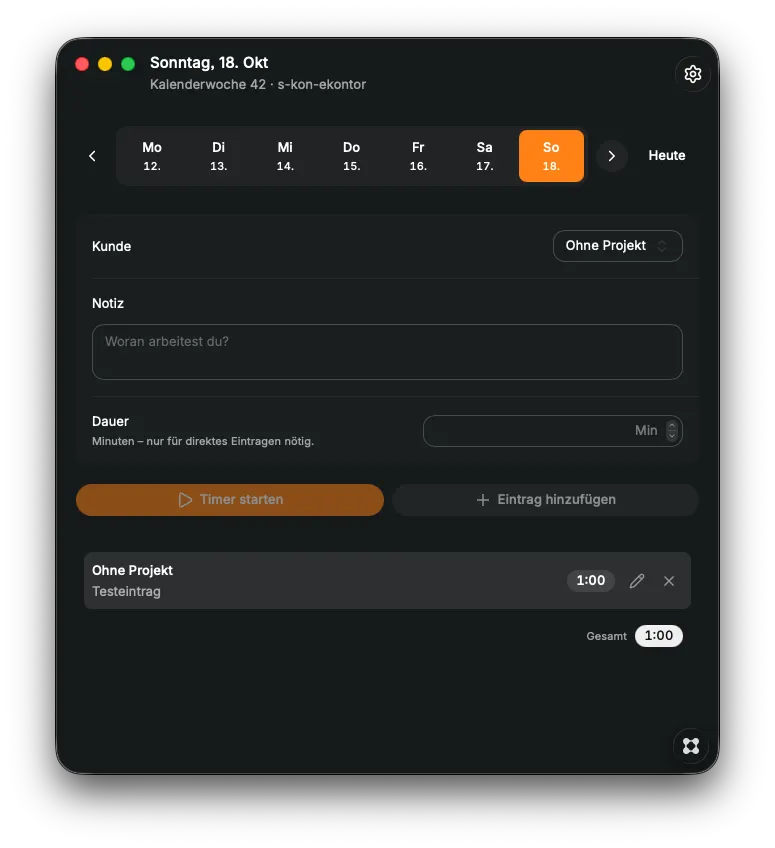
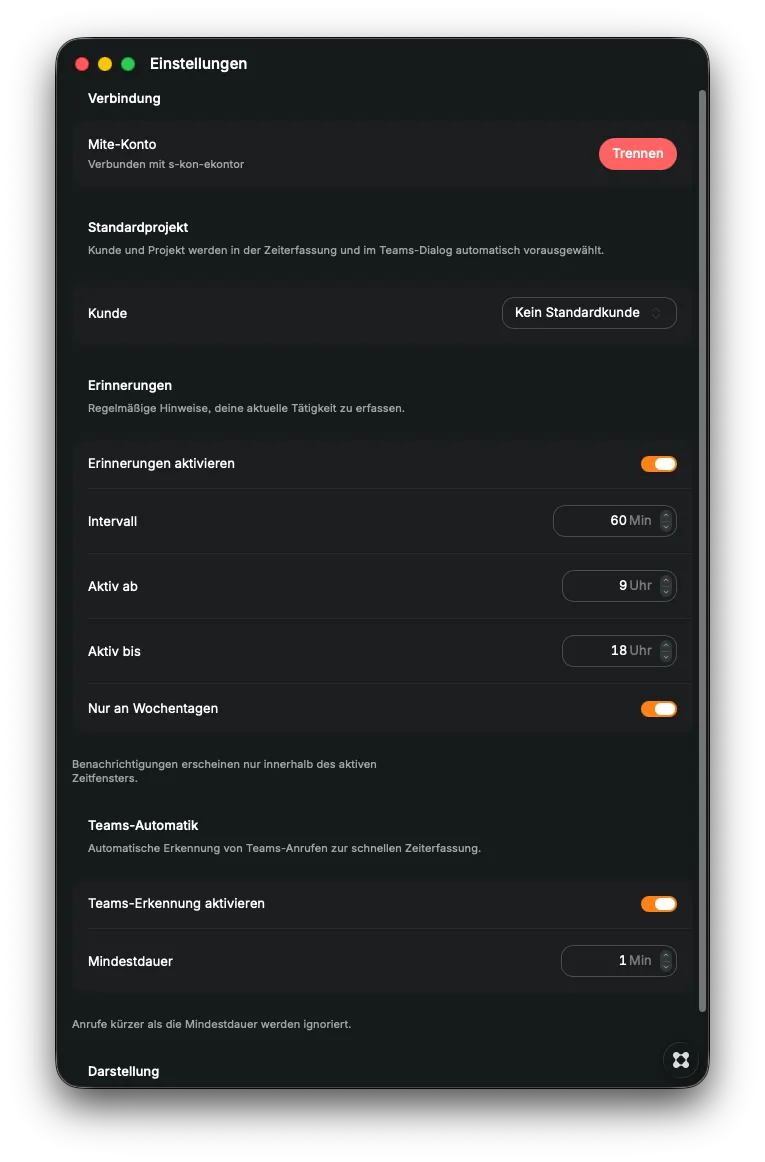
Mite Tracker brings mite.de time tracking into a fast, native macOS app. Start timers, log entries and keep an eye on your week, all without opening a browser tab. Track time - Start and stop timers with one click, synced with your mite tracker - Resume an entry by clicking its duration - Log entries quickly: customer, searchable project, note and duration - Set a default customer and project to save clicks A mite-style overview - Week strip from Monday to Sunday with the calendar week and a quick jump back to today - Every entry for the day with customer, project, note and a daily total - Edit or delete entries, or drag them onto another day to move them (hold Option to copy) Log Teams calls automatically - Notices when Microsoft Teams is using your microphone, which means a call is running - When the call ends, offers to log its length to mite - Nothing is recorded: the app only checks whether Teams is using the microphone Reminders - Regular notifications so you don't forget to log your time - Set the interval, active hours and weekdays only Keyboard-friendly - Shortcuts for starting and stopping the timer, adding entries, switching days and weeks, editing and deleting - Select entries with the arrow keys and press Space to start or stop them - Press the question mark key to see every shortcut at a glance Secure and simple - Connect with your mite account name and API key - Your API key is stored encrypted on your Mac - Light and dark mode You need a mite account to use Mite Tracker. Teams call detection needs macOS 14 or later. The app's interface is in German. Mite Tracker is not an official mite app.