
Momo
Tasks, focus & files, minus the effort



About Momo
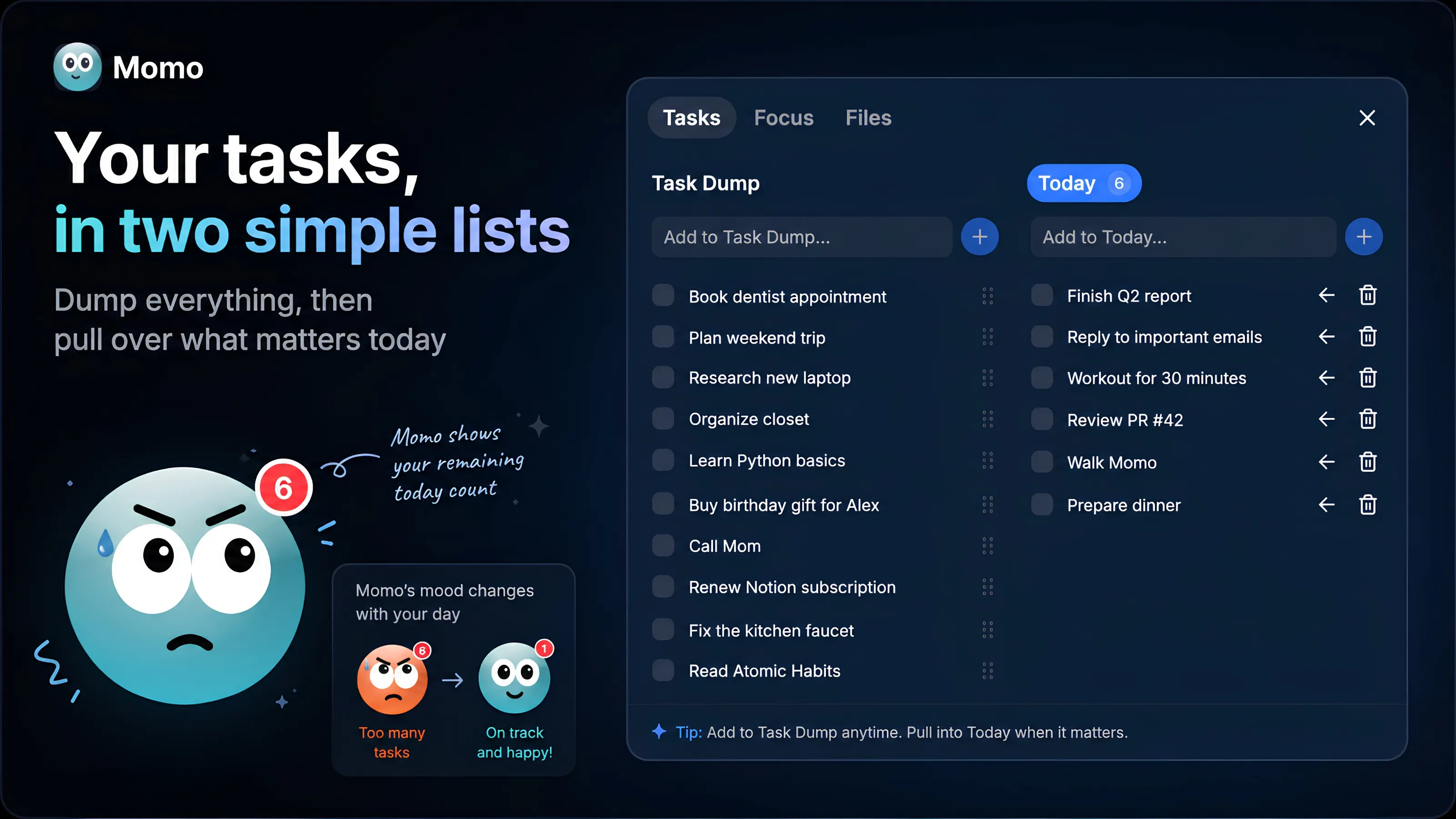
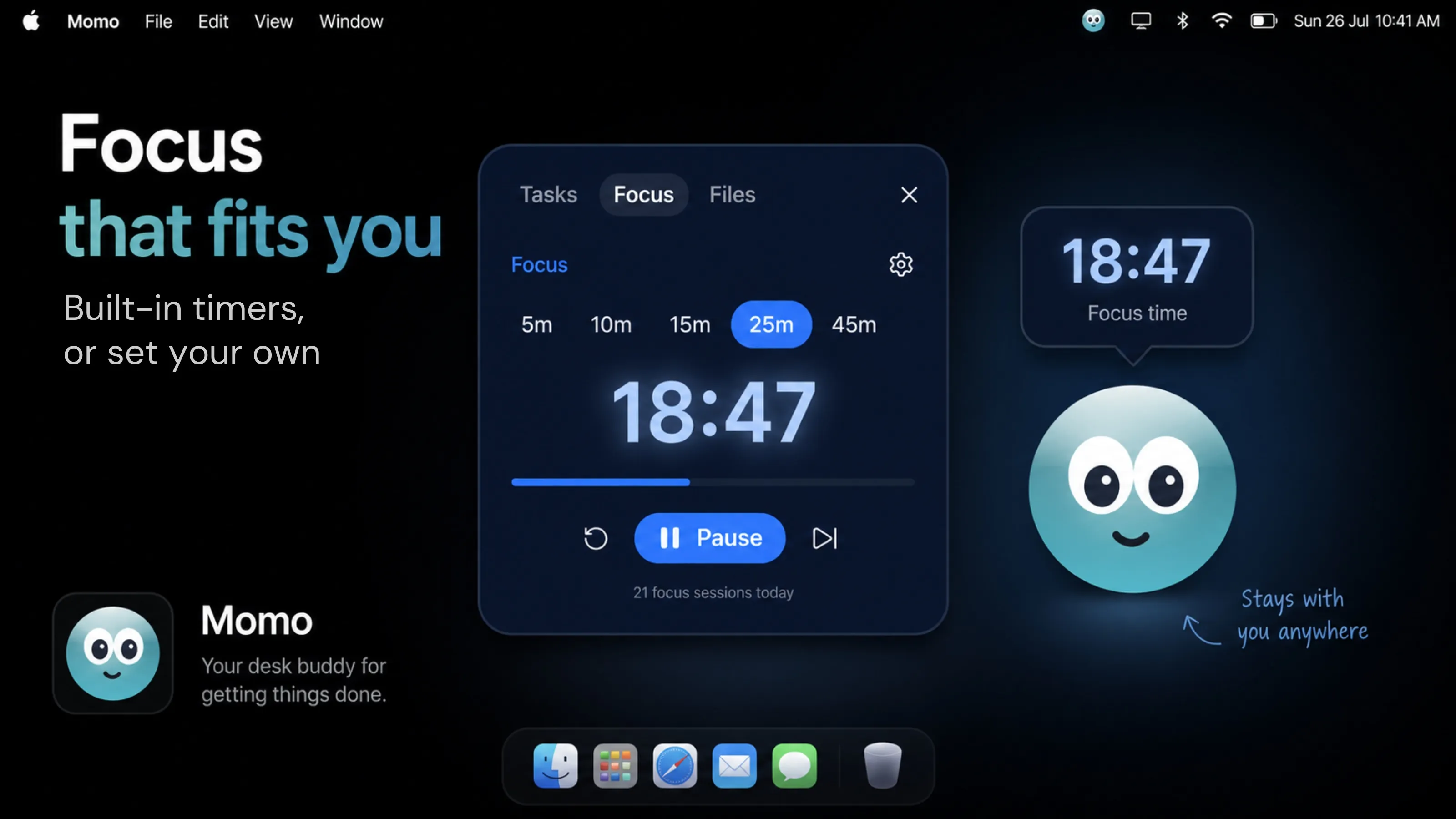
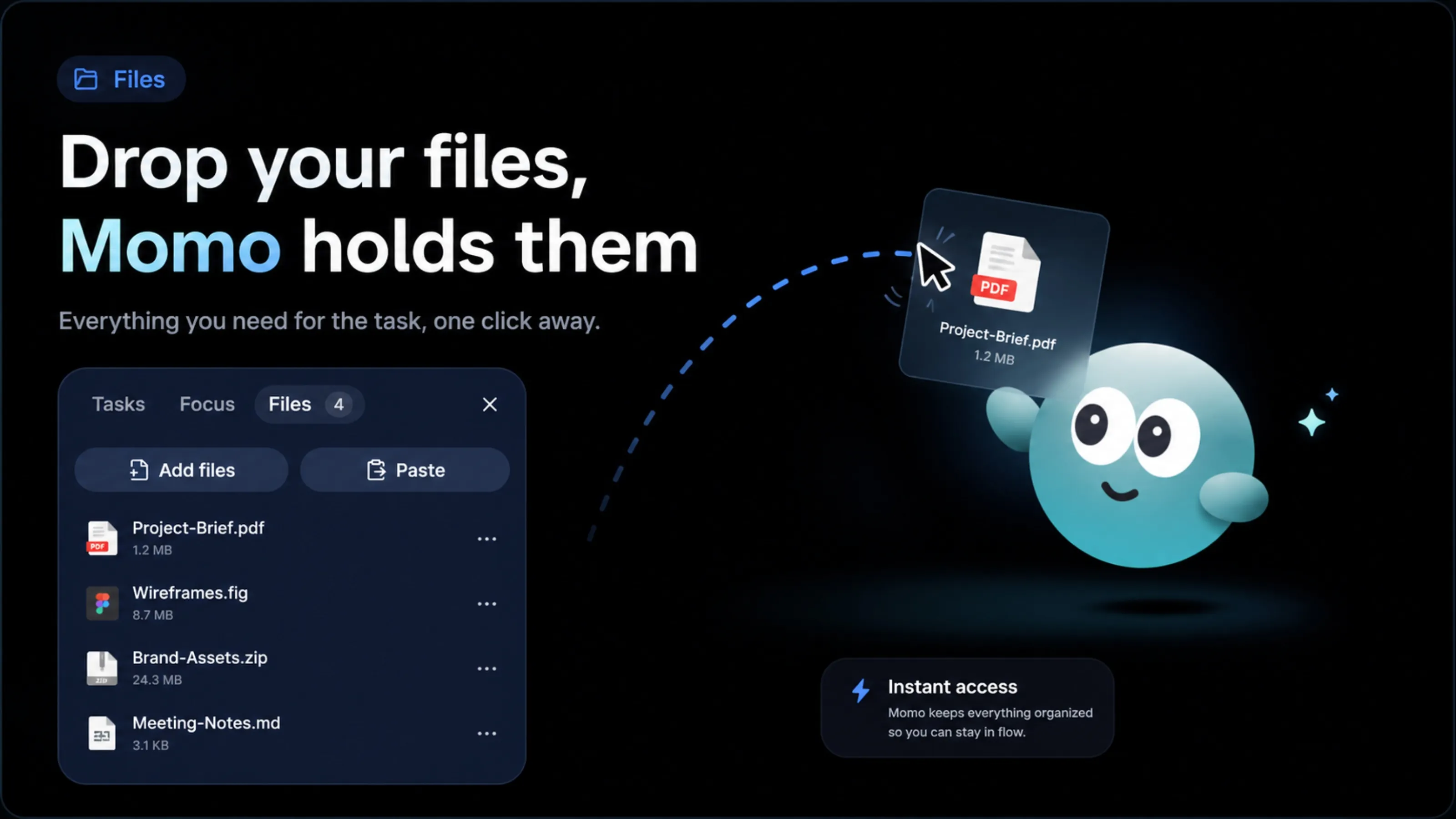
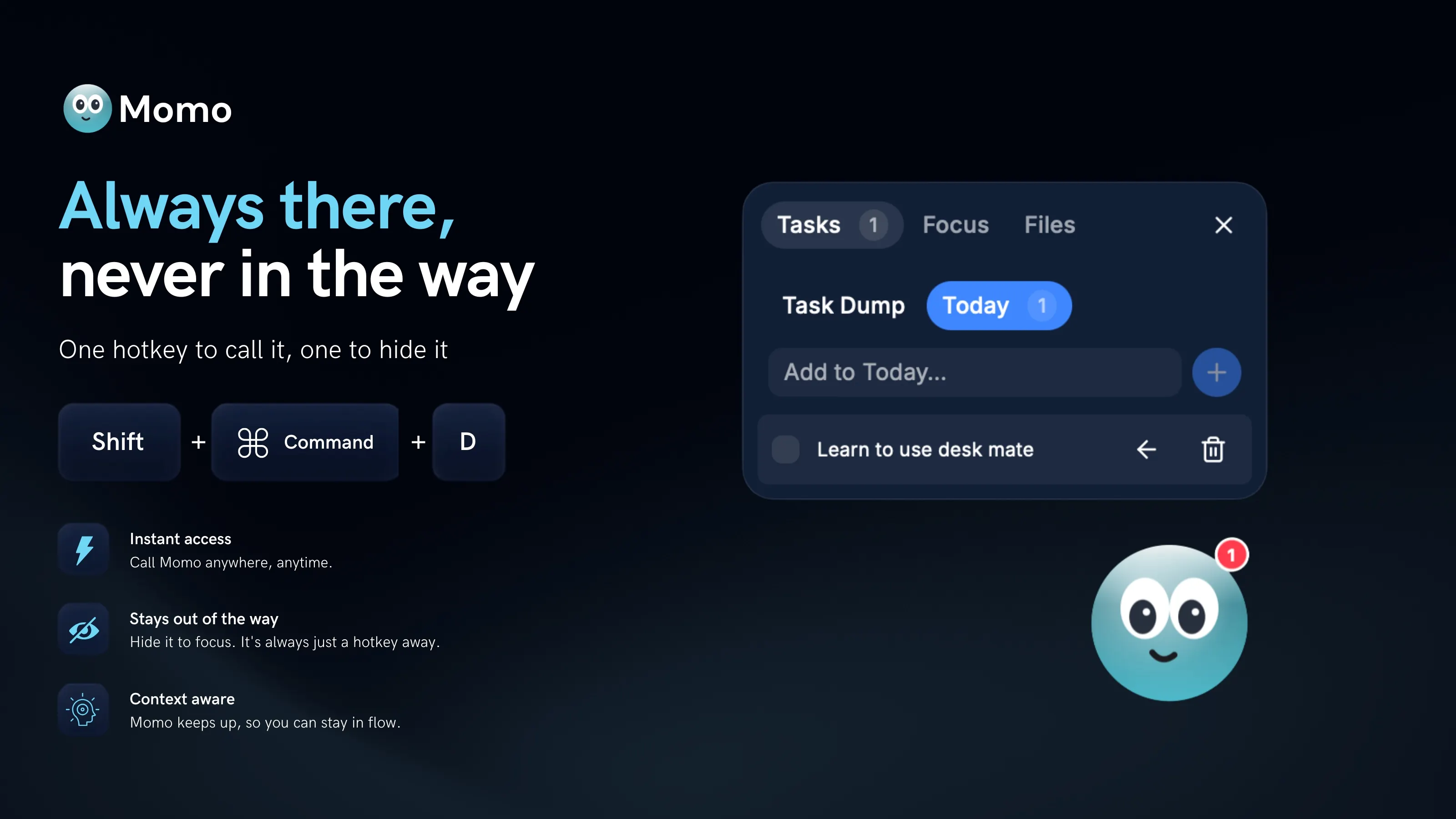
Momo is a little character that lives on your screen and quietly keeps your day in order. Call it when you need it, hide it when you don't, all with one hotkey: Shift+Command+D. Click Momo and a panel opens with three things: your tasks, a focus timer, and a spot for your files. A COMPANION, NOT JUST A TOOL Momo reacts to your day: Looks happy when you finish your tasks Gets a little anxious when your list climbs past five Comes in four characters and multiple themes to match your setup TASKS IN TWO SIMPLE LISTS Task Dump: brain-dump everything on your mind Today: pull over just what you're tackling now Panel closed? Momo shows your remaining count in a red badge above its head FOCUS THAT FITS YOU Start from a built-in timer template, or set your own length Close the panel and Momo carries the countdown in a bubble above its head Stay in flow without losing track of the clock FILES, CAUGHT AND HELD Drag your files over Momo and drop It catches and holds them for you Everything you need for the task stays one click away ALWAYS THERE, NEVER IN THE WAY Momo sits on top of your work and stays quiet until you call it. One hotkey brings it forward, one hotkey hides it.