Boot Picker
Choose your startup disk and restart
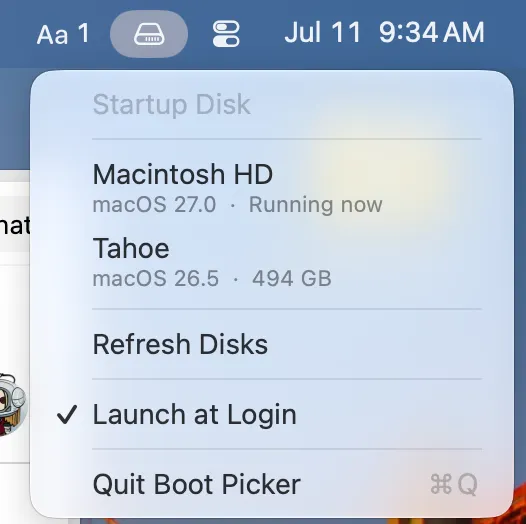
Boot directly into any of your Mac's startup disks from the menu bar — no System Settings required. Key Features: - View all bootable volumes with their macOS versions and storage sizes in a single dropdown - Set a new startup disk and restart immediately, or change the default without rebooting - Quick access from the menu bar with one-click disk selection - Optional launch at login for always-available boot switching