One-Take Teleprompter
Record videos with on-screen script

About One-Take Teleprompter
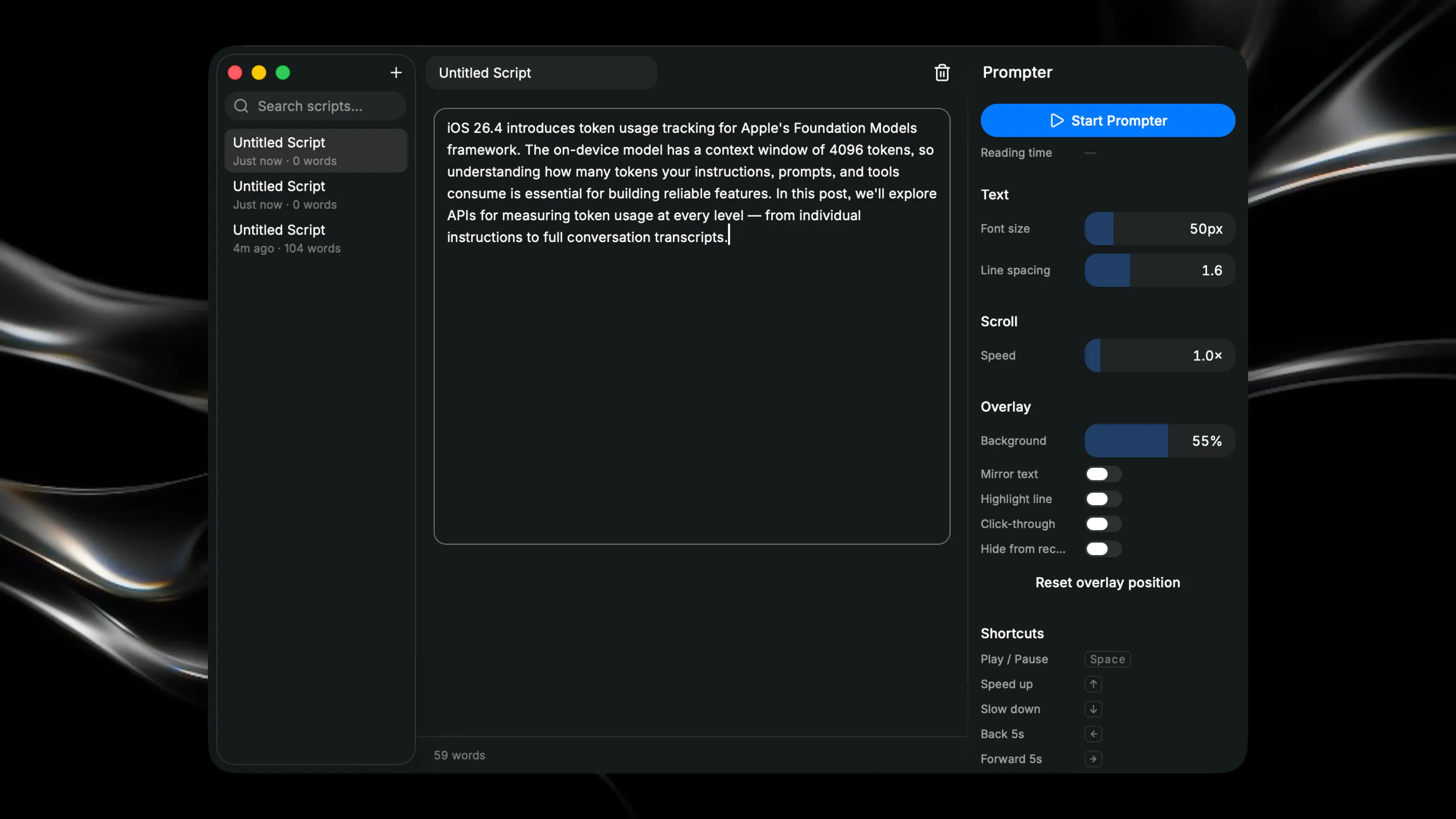
Record videos with a floating script overlay that stays on top of any application. Perfect for YouTubers, presentants, and content creators who need their words visible while filming. Key Features: - Create and manage multiple scripts with a built-in editor - Float your script over any app while recording, with adjustable text size and scrolling speed - Control playback with keyboard shortcuts (play/pause, speed up, slow down, restart) - Hide the script from screen recordings and make it click-through so it won't interfere with your workflow
Suggested Apps
Defaults
Access hidden macOS settings easily
 Thomas Paul Mann
Hotkey Explorer
Explore hotkey systems for Raycast
 Alex Antonov
Capture Studio
Simple screen recording for creators.
Tap Beats
Create music by tapping a grid-based trackpad with 12 buttons arranged in columns and rows
 Vincent de Lagabbe