Tagsonomy
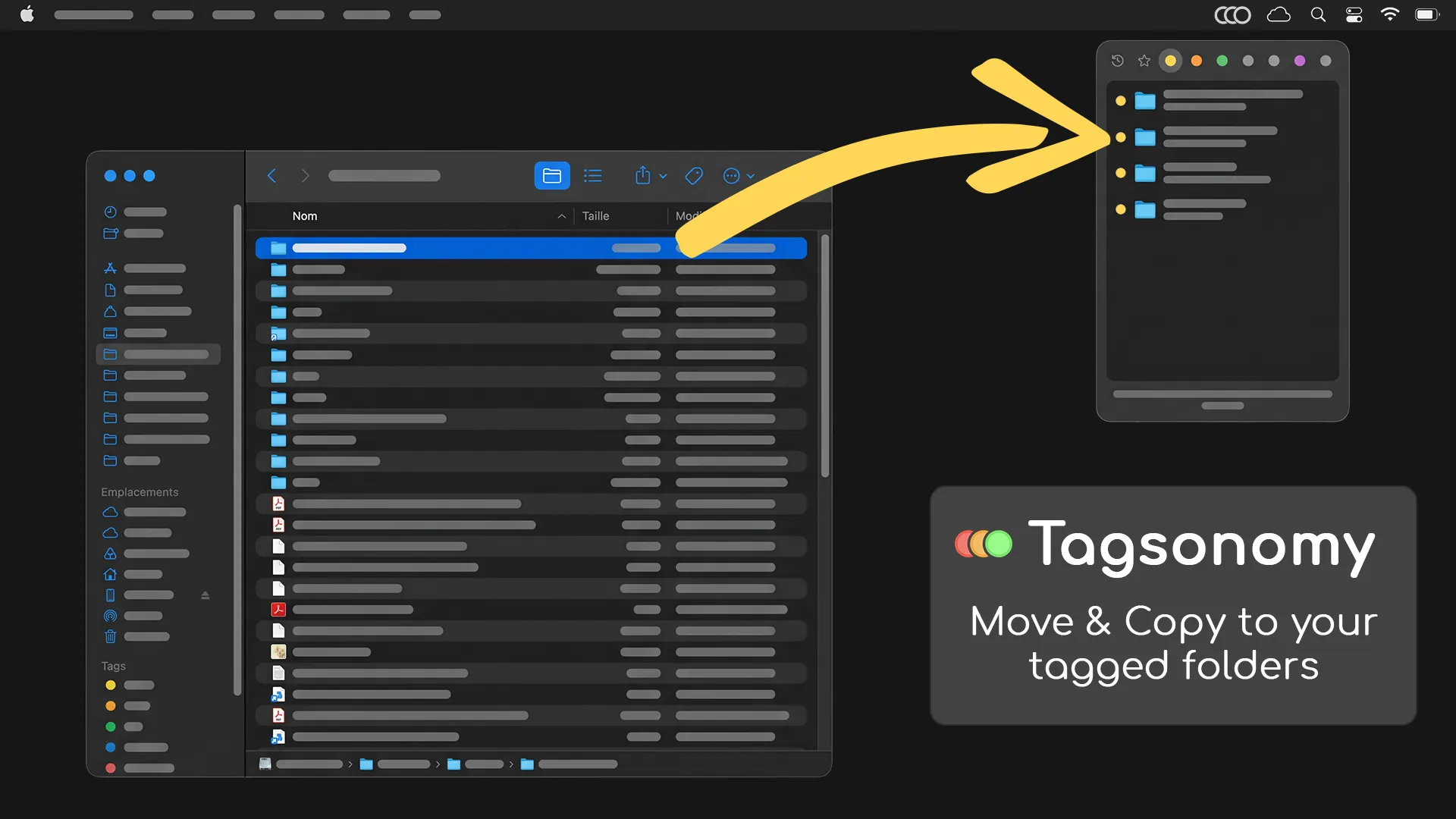
Move & Copy to your tagged folders

About Tagsonomy
Organize your files and folders with native Finder colored tags. We often use the same folders for our daily organizing, but constantly navigating deep into Finder to reach them is a tedious, repetitive friction. Tagsonomy resolves this by leveraging your existing macOS color labels to bring those folders directly to your cursor for instant, high-speed access. Drag files and folders onto the menu bar icon to file them away in seconds, or open your folders in Finder with just two clicks. Key Features: • Effortless filing for files & folders: Instantly route individual files or entire folders by dragging them directly onto the menu bar icon. • Two-click folder access: Open any of your tagged folders directly in Finder with just two clicks inside the panel. • Flexible default action: Choose whether dragging and dropping moves or copies your files and folders by default. • Recents & Favorites: Access your most active folders immediately for lightning-fast filing. • Tailor your workspace: Clean up your interface by hiding specific tags or folders in the settings so you only see the shortcuts you actively use. • Customizable start views: Set up your preferred default view whenever the panel opens to match your specific productivity flow. • Instant Undo: Recover instantly with a native undo feature that restores your moved or copied files and folders to their exact original locations. • Fully localized: Available in the 10 languages shown in your settings: English, German (Deutsch), Japanese (日本語), Hindi (हिन्दी), Dutch (Nederlands), Spanish (Español), Portuguese (Português), French (Français), Italian (Italiano), and Chinese (中文). • Native & Local-first: Built natively for macOS. It runs completely offline, keeping your file structures, paths, and data 100% private on your machine.