Telltale
See your Mac's state. Don't read it.

About Telltale
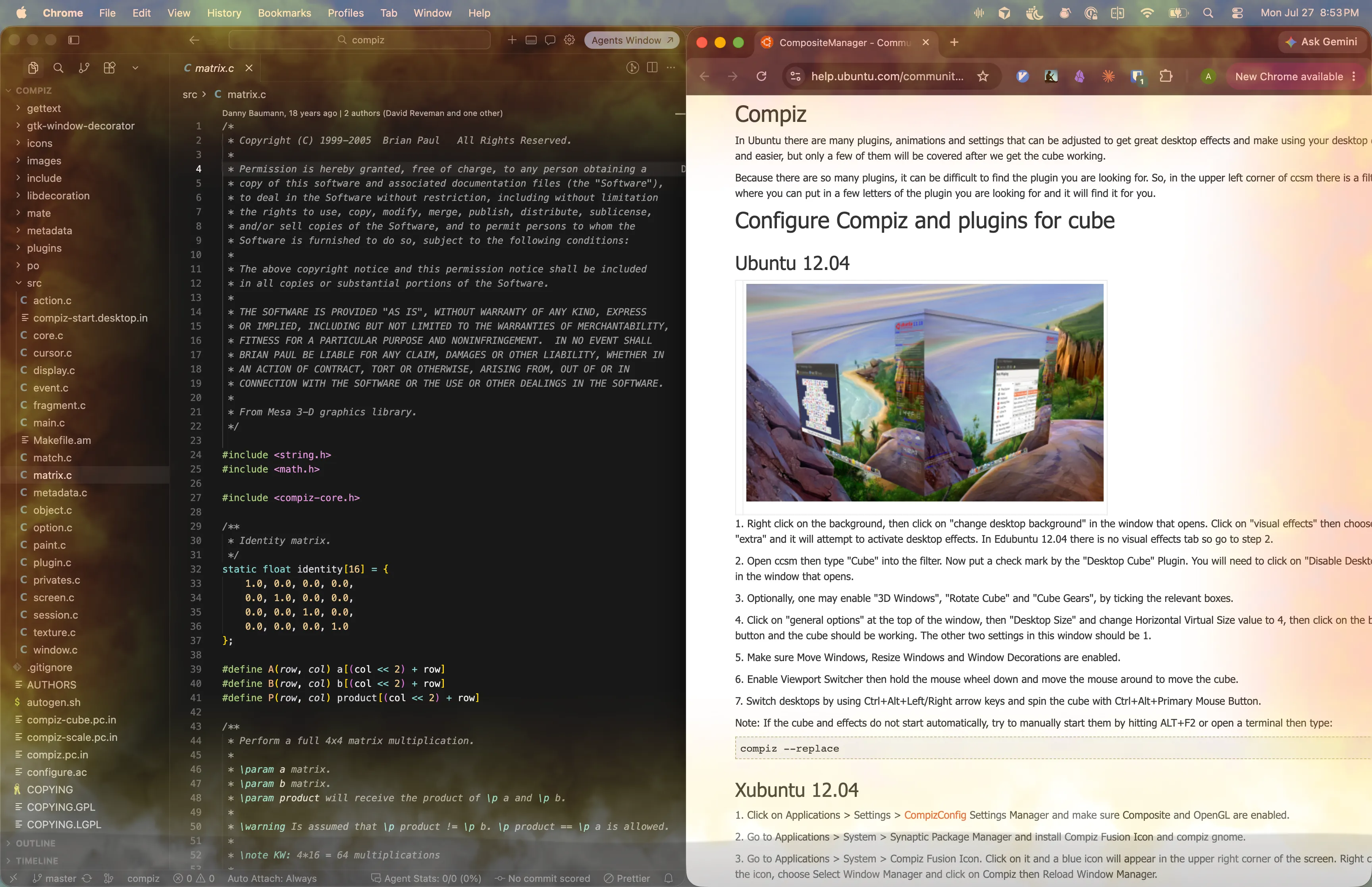
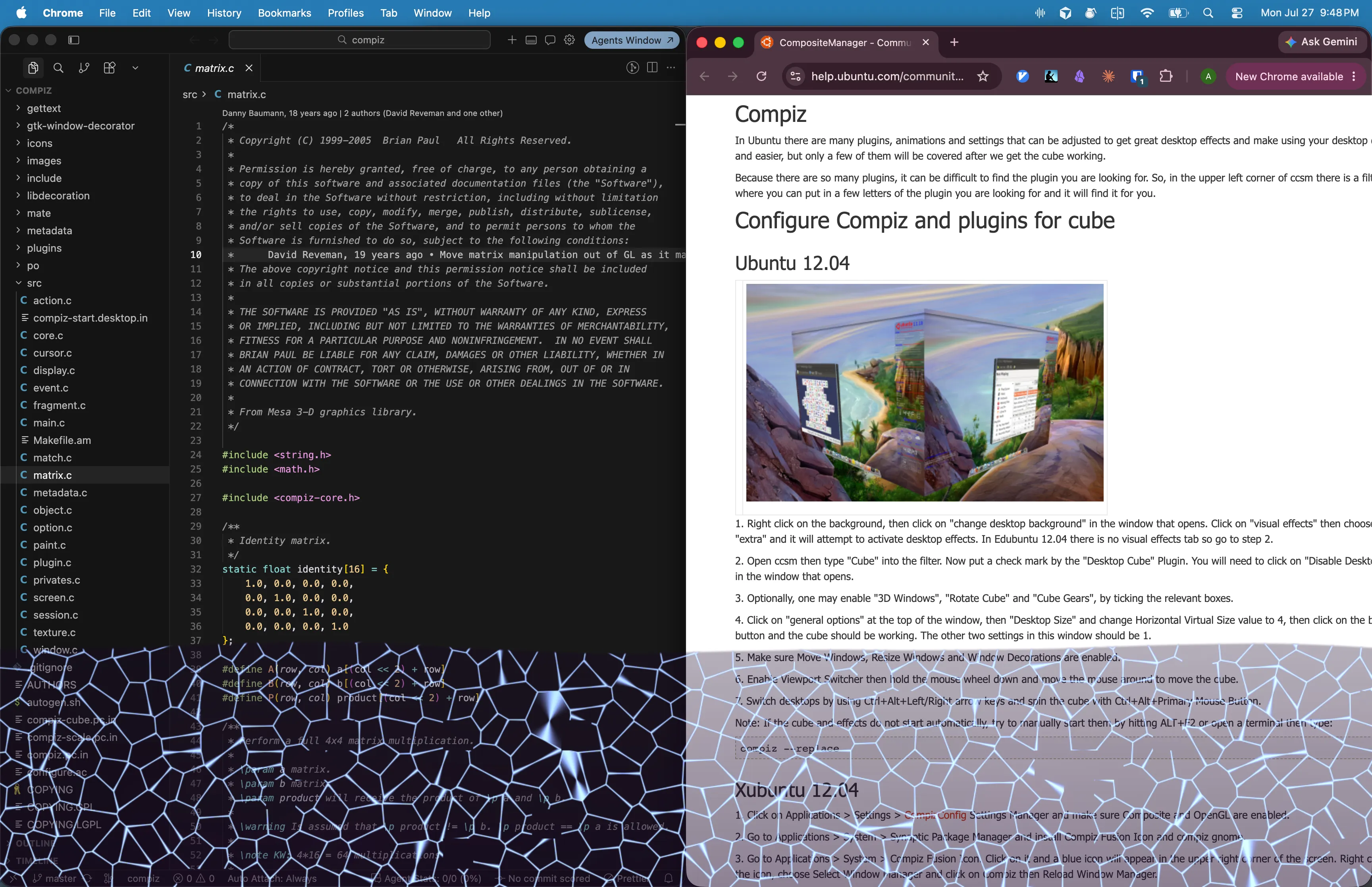
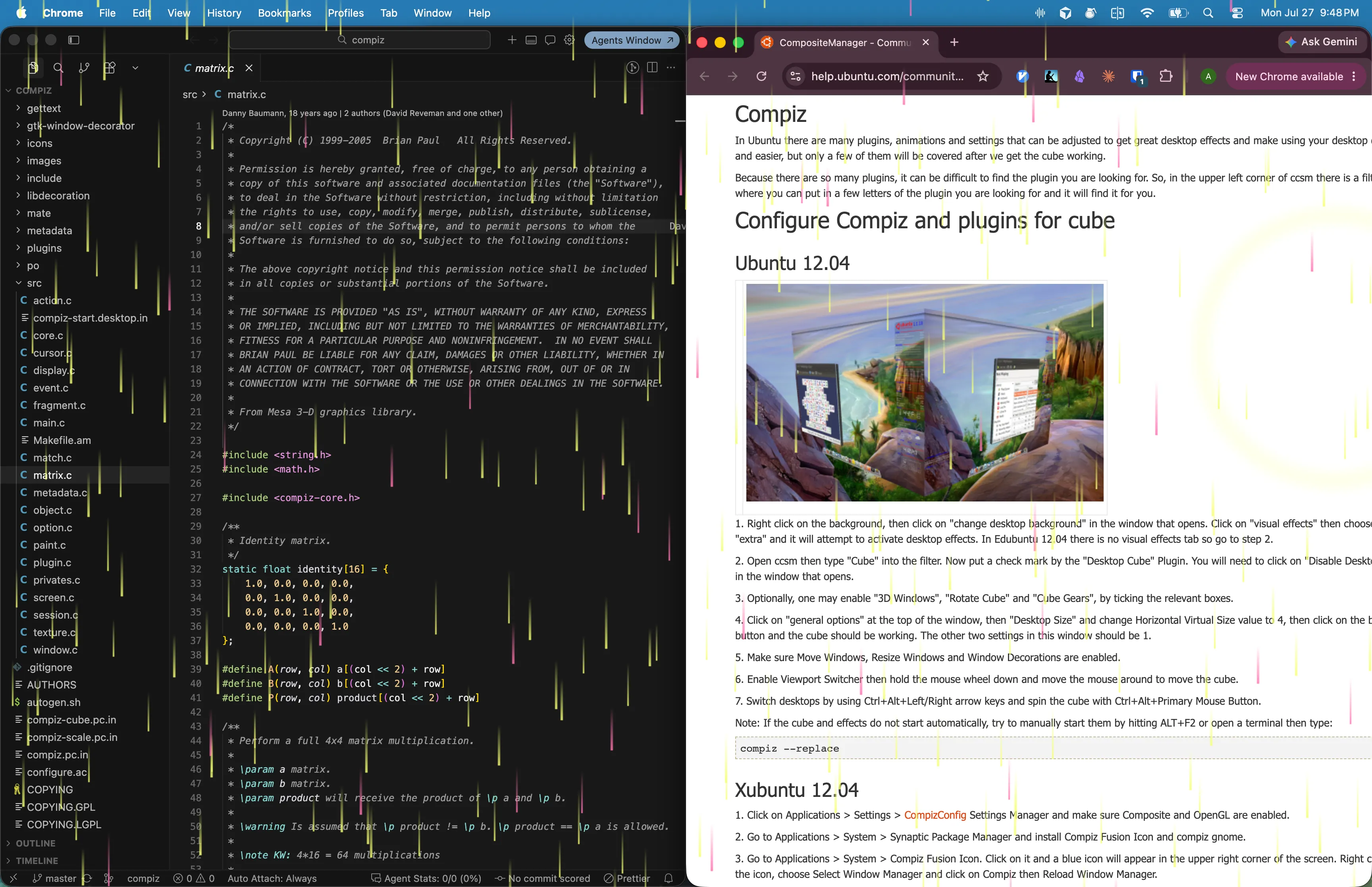
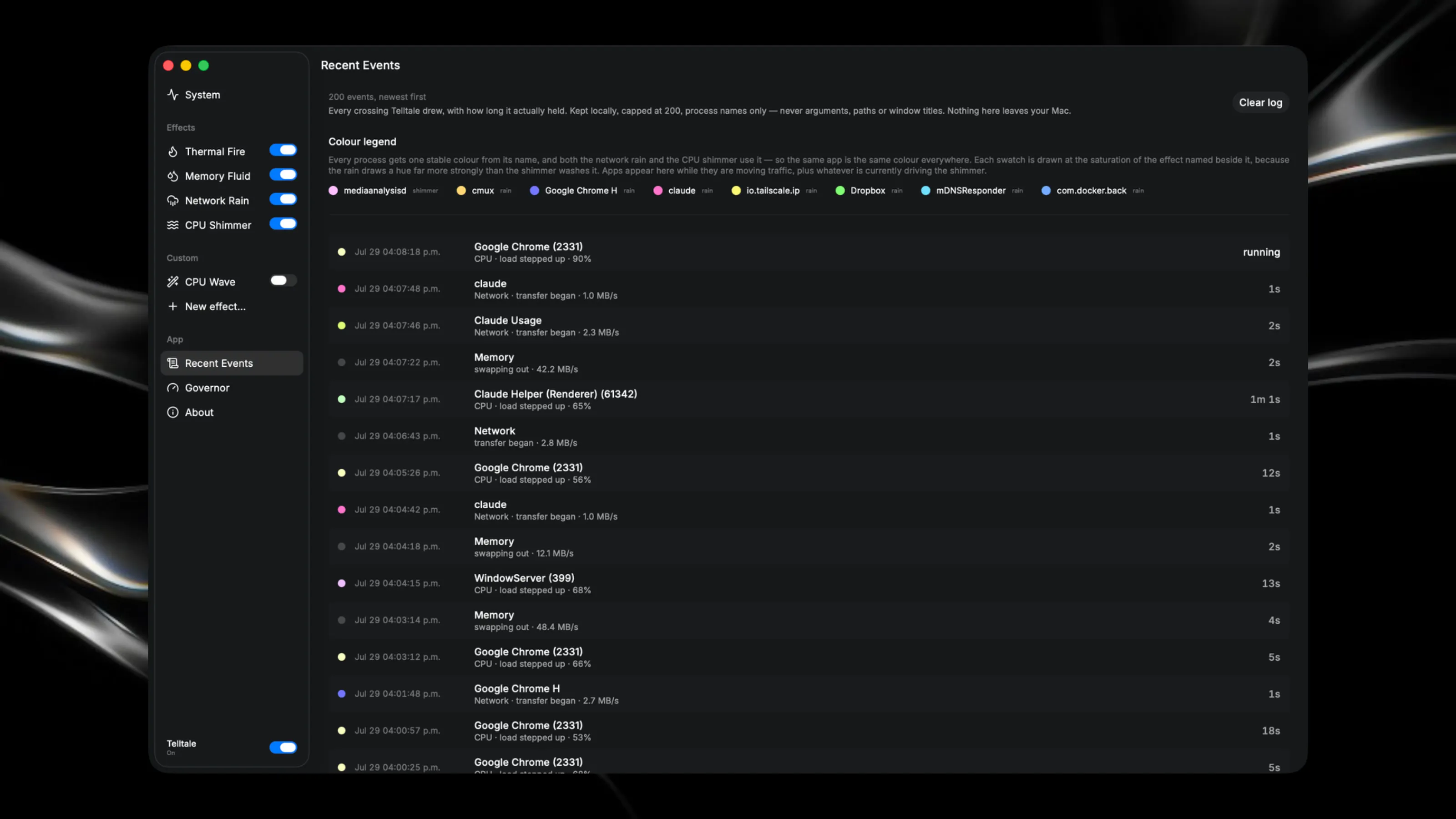
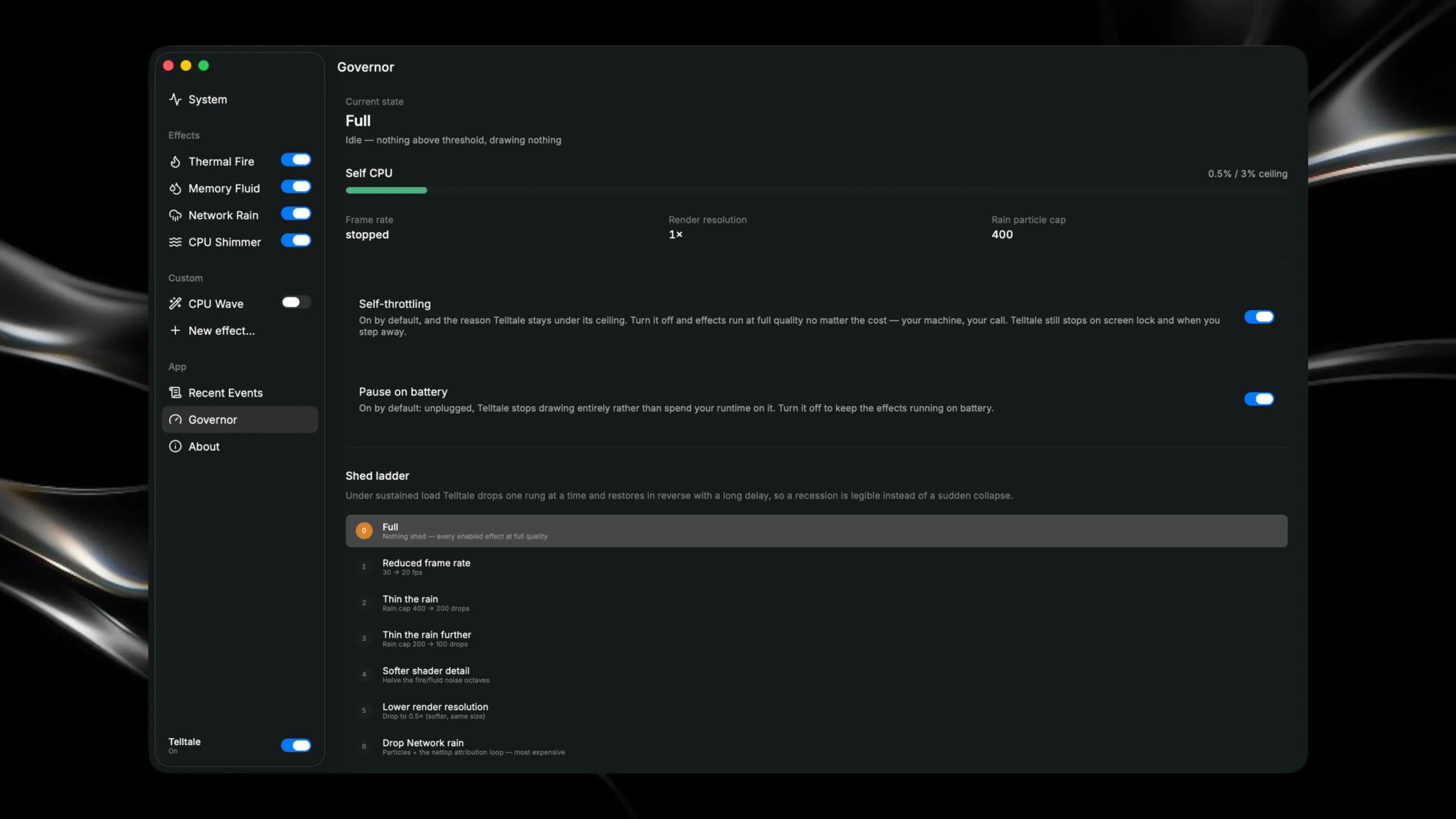
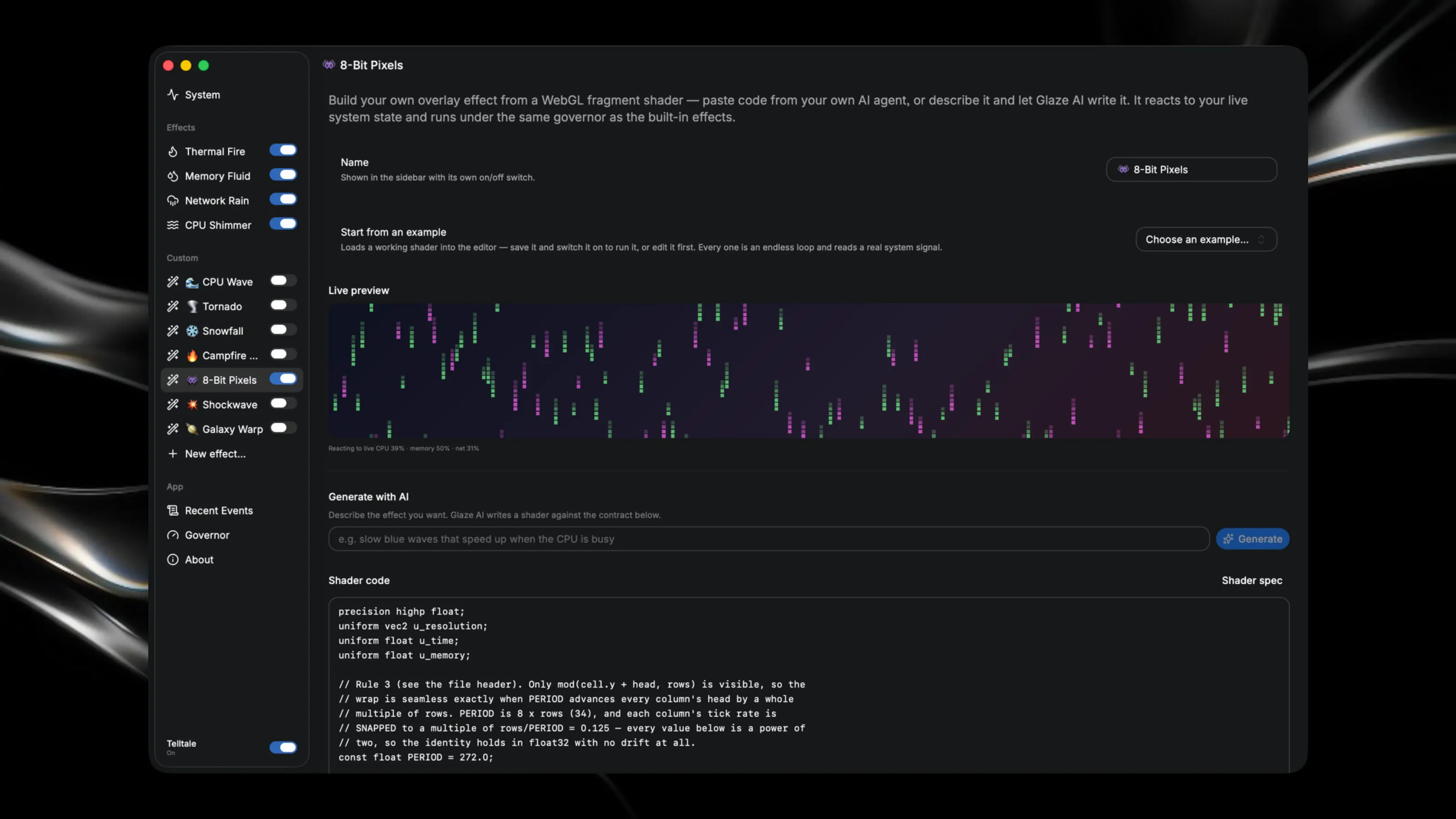
Telltale tells you when your Mac's condition changes. Heat, memory pressure, network, CPU load — each becomes a brief full-desktop effect — and when a process is behind it, that process is named in the menu bar and logged so you can ask later. The rest of the time it draws nothing at all. **60-second walkthrough:** https://youtu.be/4mAsfkCw8Nk Sailors tape a short length of yarn to the sail: wind is invisible, the yarn isn't. It's called a **telltale**. Your Mac hasn't got one — it's throttling, it's swapping, something you forgot about is pulling 40 Mbps, and the standard answer is a menu bar of graphs four pixels tall. - **Heat rises** — flame licks up from the bottom edge, and holds while it's critical - **Memory tightens** — a dark fluid rises; cross into swap and hairline cracks spread through it - **Something starts pulling bandwidth** — rain falls, tinted per app - **Load spikes** — heat shimmer along the edges Each fires on the *change*, then fades. Steady state draws nothing, because a signal that's always on tells you nothing. **Recent events** keeps the last 200 crossings — what happened, what caused it, how long it held — so "why was my Mac slow twenty minutes ago?" has an answer, with a colour legend above it so the per-app tints are decodable. Presets for **Subtle** (default), **Full** continuous tracking, or **Alarm only** — every effect selectable, and a master kill switch. A monitor that degrades the machine it watches is a joke about itself, so Telltale holds **under 3% of one CPU core** by default — shedding frame rate, particles, then whole effects as it nears that ceiling, thermal fire last. Locked, idle, or on battery it stops — the battery pause and the throttling are both yours to switch off. No Accessibility. No Screen Recording. No TCC prompt, ever — everything it draws comes from your Mac's own vitals, and the event log is a local file of process names as macOS reports them, which never leaves your Mac. The overlay is click-through everywhere and stays out of full-screen apps. Any app or script can trigger an effect: ``` open "telltale://effect/fire?stage=critical&duration=5&label=Deploy%20failed" ``` Wire it to a finished build, a failing deploy, a long agent run. The label sits in the menu bar for the length of the event and goes into the log with it, so you can tell the flames you asked for from the ones you didn't. Settings → About lists every form of the URL — click one to see it fire, or copy it as a runnable command. Or write your own: start from one of six worked examples, describe one and Glaze AI writes the shader, or paste GLSL from your own agent — same live signals, same governor, same URL triggers, shed first because it's your code and not mine.