
PlainType
Formatting in, plain text out

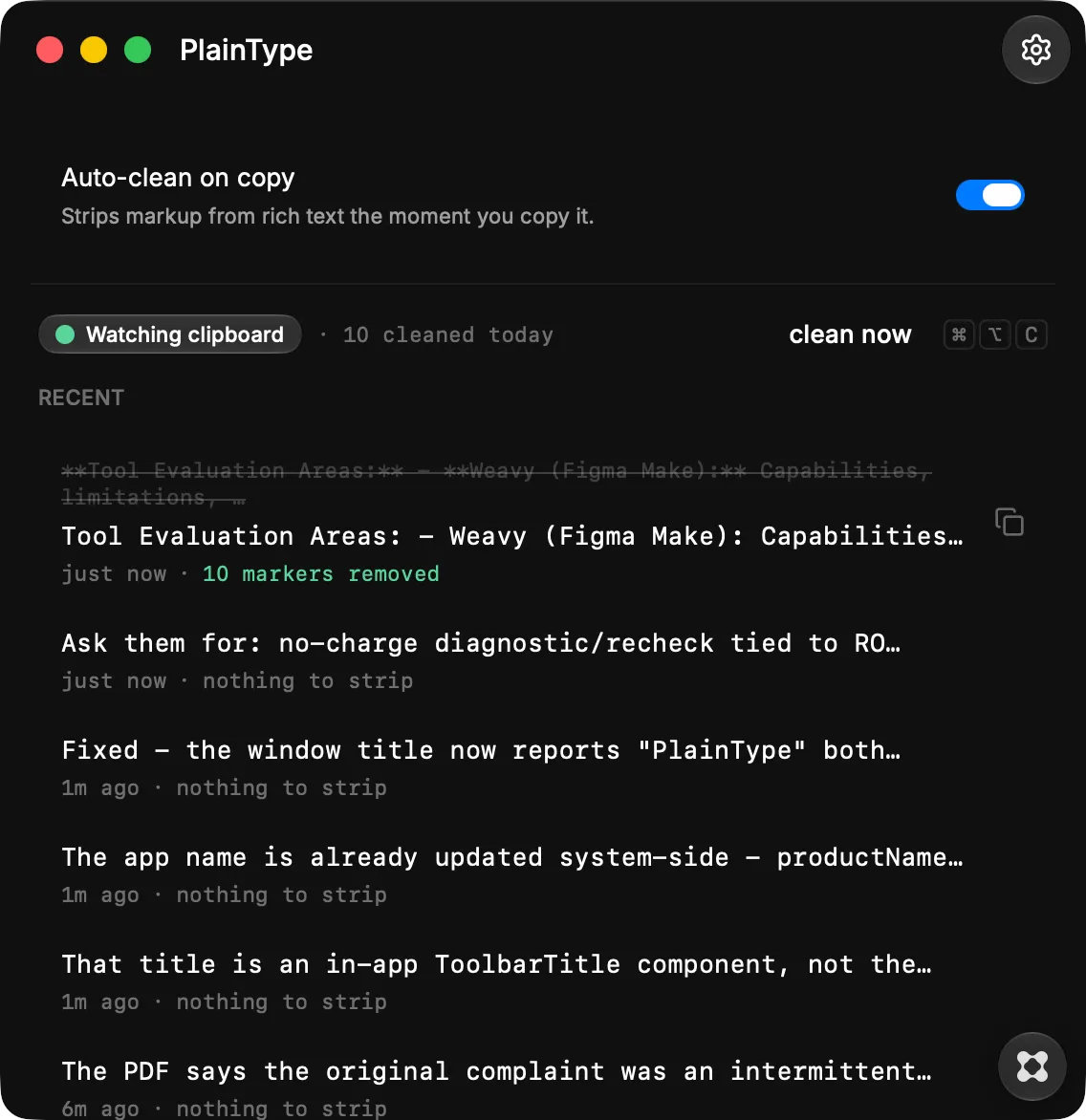
Paste text the way you meant it: plain. PlainType strips formatting, hidden characters, and stray markup from whatever you copy, so what lands is clean text and nothing else. Copying from Notion, Slack, a PDF, or an AI chat drags along more than you can see. Bold markers, smart quotes, non-breaking spaces, zero-width characters, and wiki-link syntax follow the text into your code editor, your terminal, your CMS, and your forms, where they break search, mangle diffs, and fail validation for no visible reason. PlainType removes all of it. How it works: Turn on auto-clean and every copy is stripped the moment it hits your clipboard. Prefer control? Leave it off and clean on demand with a global shortcut. Either way, your original stays untouched until you paste. What it removes: Bold, italic, and heading markup. Smart quotes, curly apostrophes, and fancy dashes. Non-breaking and zero-width spaces. Wiki-links, list markers, and stray tabs. Collapsed blank lines and trailing whitespace. Built to stay out of your way: Runs quietly in the menu bar. A recent history shows exactly what was cleaned and lets you re-copy any result. Everything happens on your Mac. Nothing you copy ever leaves your device. PlainType. Plain text, every time you paste.