Cehua
The fastest path from thought to plan.


About Cehua
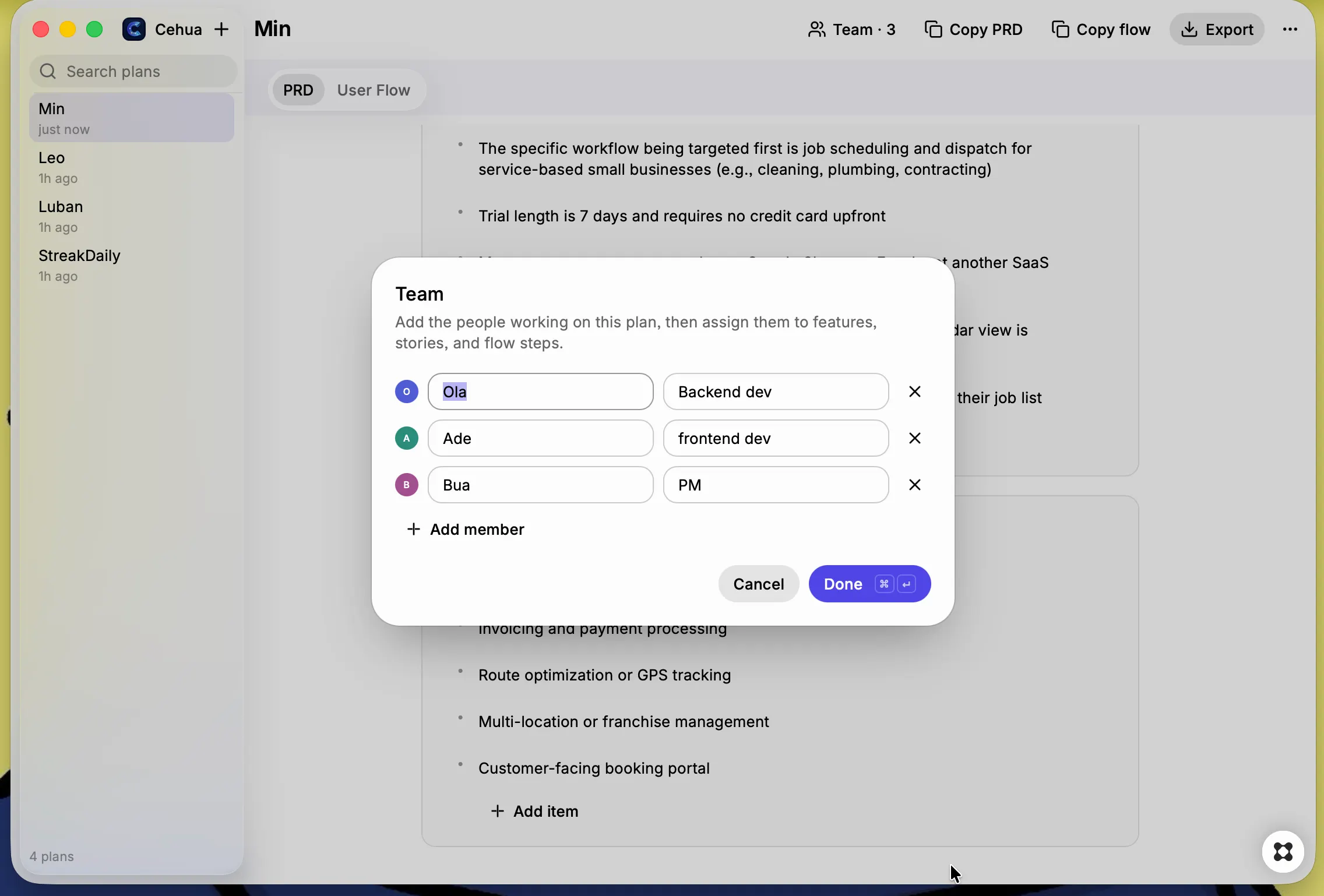
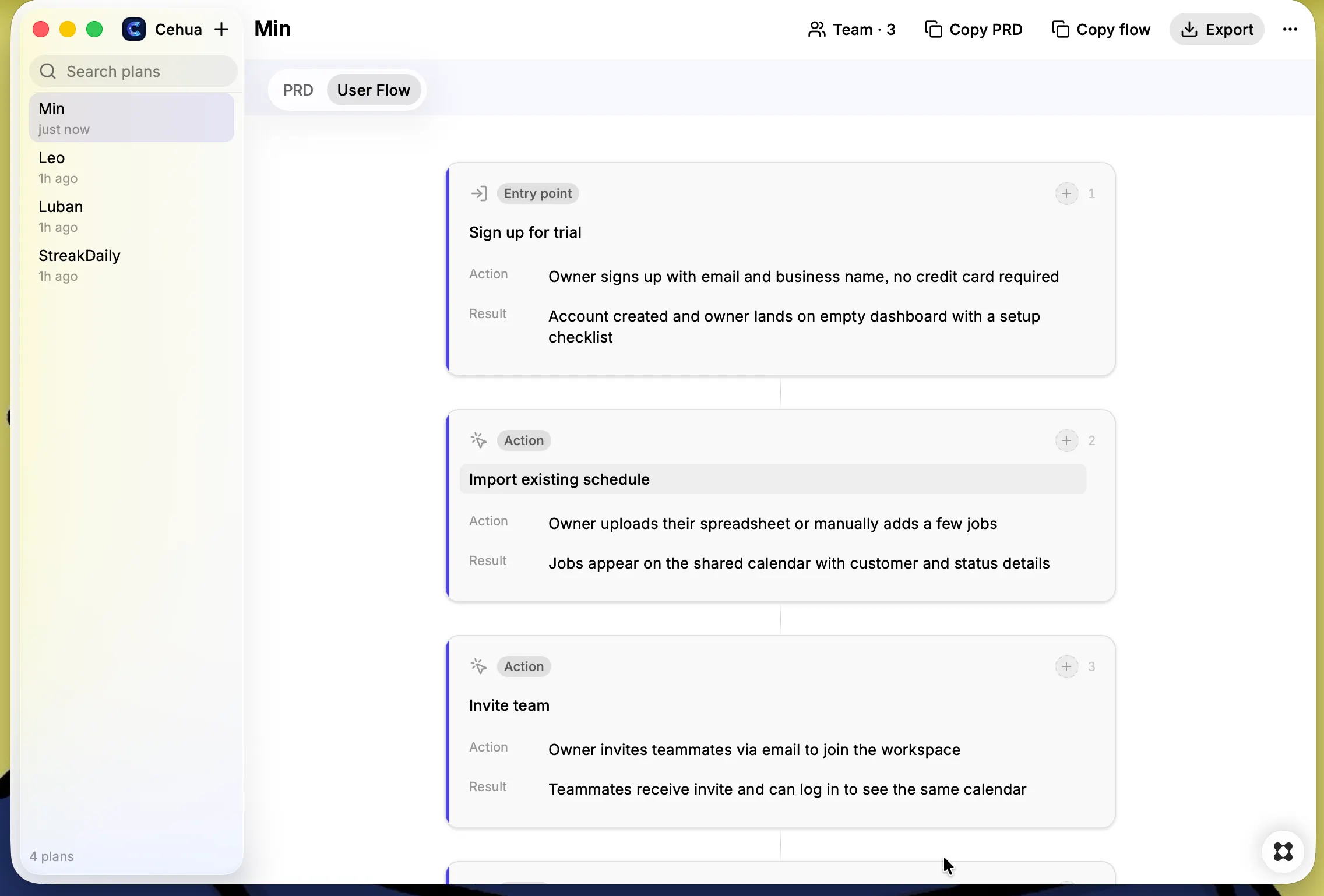
Cehua (策划 — "to strategize") transforms raw product ideas into structured PRDs and visual user-flow diagrams in seconds.The problem: Turning a fuzzy idea into a first-draft PRD is painful. You stare at a blank document, copy templates, and waste an hour on formatting before you even think clearly.The solution: Describe your idea in plain language. Cehua generates a concise, editable PRD and a visual user-flow diagram — instantly. Edit any section, assign team members, export, and share. Features AI-Powered PRD Generation Describe your product idea and Cehua generates a structured PRD with product summary, problem statement, target user, user goals, core features, user stories, success criteria, assumptions, and out-of-scope items. Every section is fully editable.Visual User-Flow Diagrams A clean vertical flow of connected cards showing the primary user journey —entry point, actions, decision points, and outcomes. The signature feature of Cehua, and the part people screenshot and share.Team Assignment Add team members to any plan and assign them to specific features, user stories, or flow steps. Colored assignee badges make ownership visible at a glance.Real-Time Collaboration (with Supabase) Sign in with your email to sync plans to the cloud. Share plans via link for read-only access, or invite teammates to edit together in real-time. Changes sync instantly.Plan Templates Start from a template SaaS Product, Mobile App, Internal Tool, or API, and skip the blank-page problem entirely.Local-First, Cloud-Optional Cehua works fully offline. All plans are saved locally on your Mac. Cloud sync is optional — enable it when you want to share or collaborate.Export Anywhere Copy the PRD or user flow as formatted text, or export the full plan as a Markdown file.Keyboard Shortcuts ⌘N for new plan, ⌘E for export, ⌘K to search and switch between plans. Built for speed.Light & Dark Mode Full adaptive design using Glaze's native design system. Dark mode is not an afterthought. Who it's for Founders scoping a new product. Project Managers writing a first draft. Developers planning a side project. Teams aligning on who does what.