Insomniac
Smart Keep-Awake Utility for Developers

About Insomniac
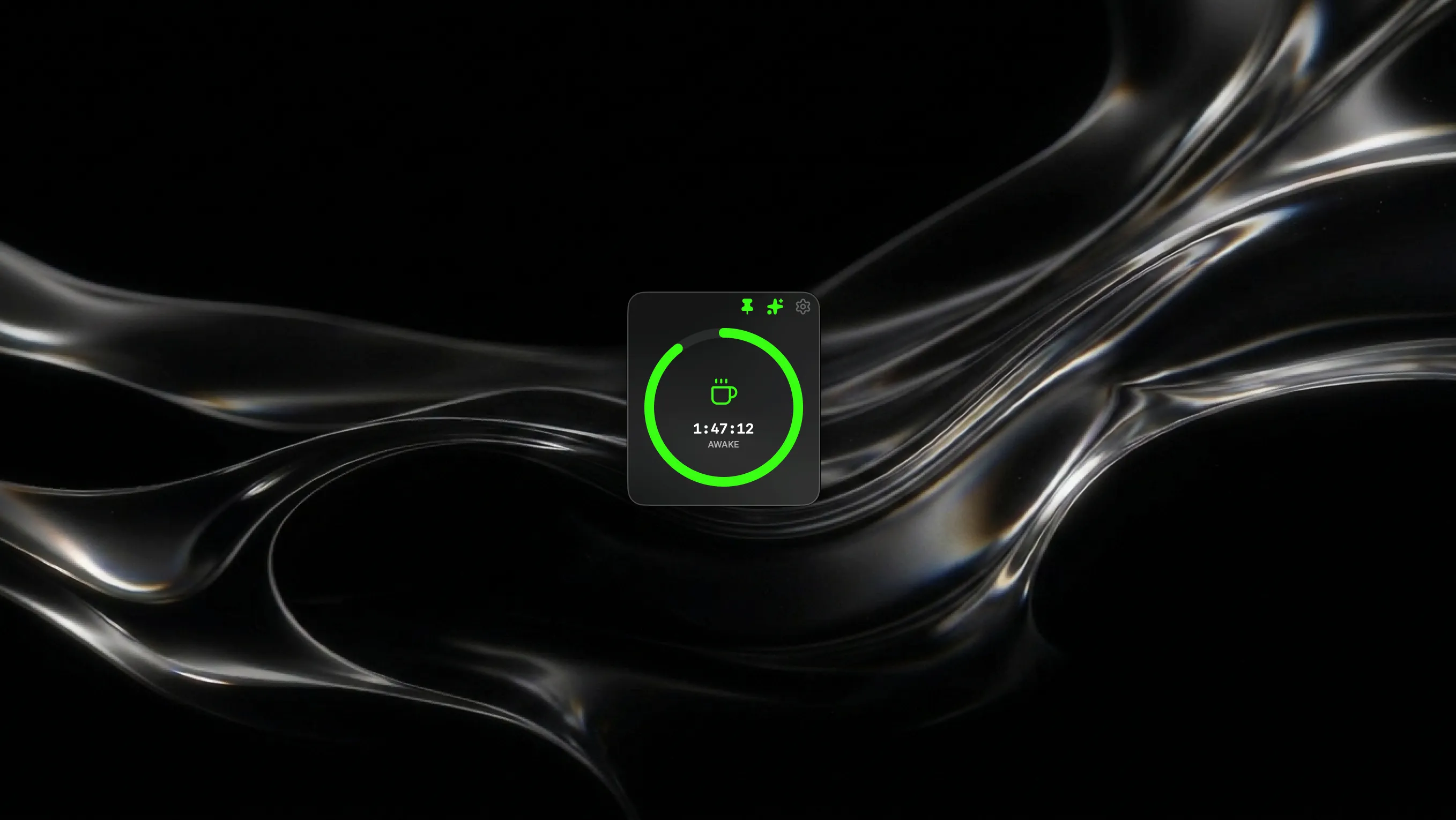
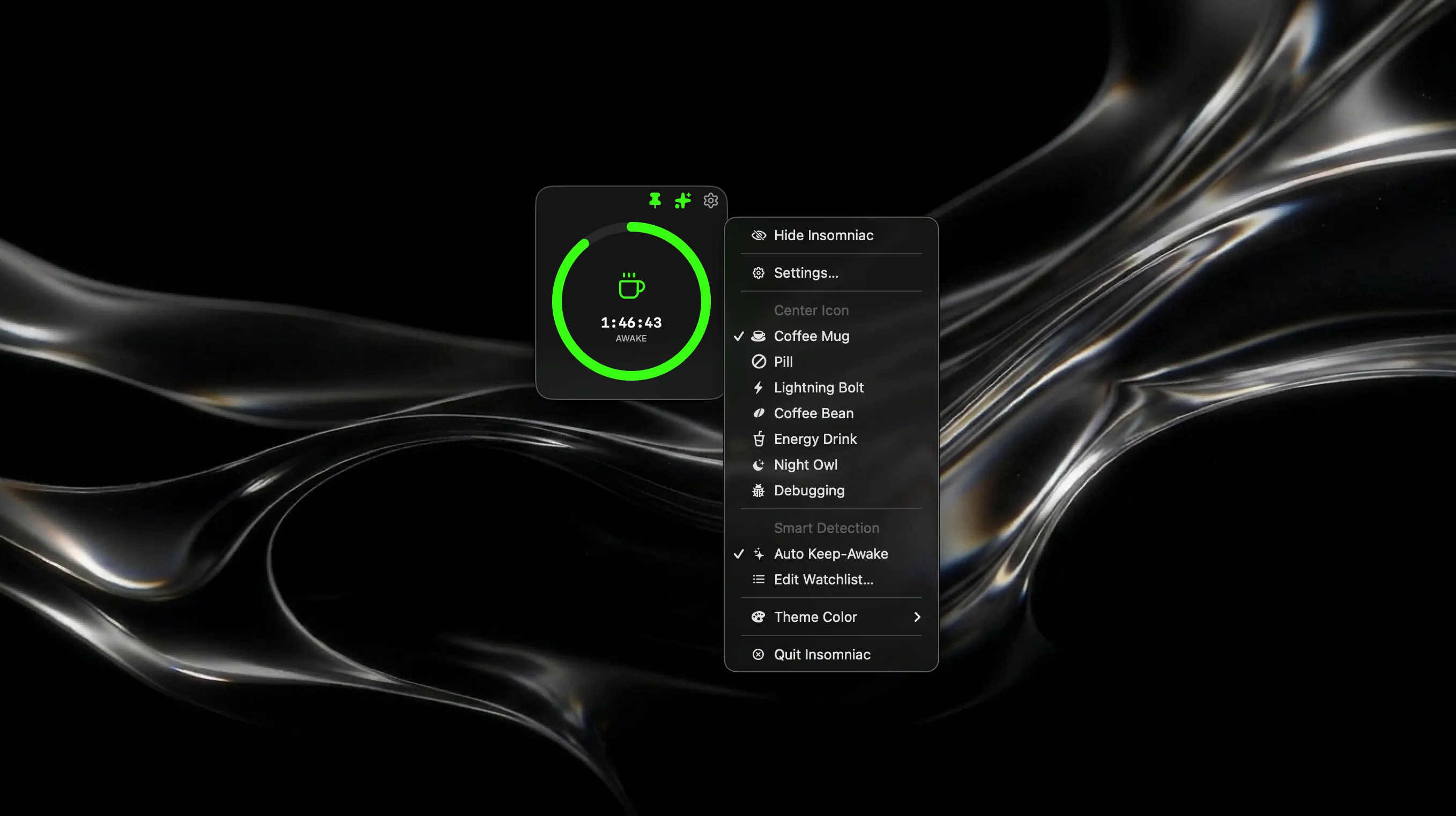
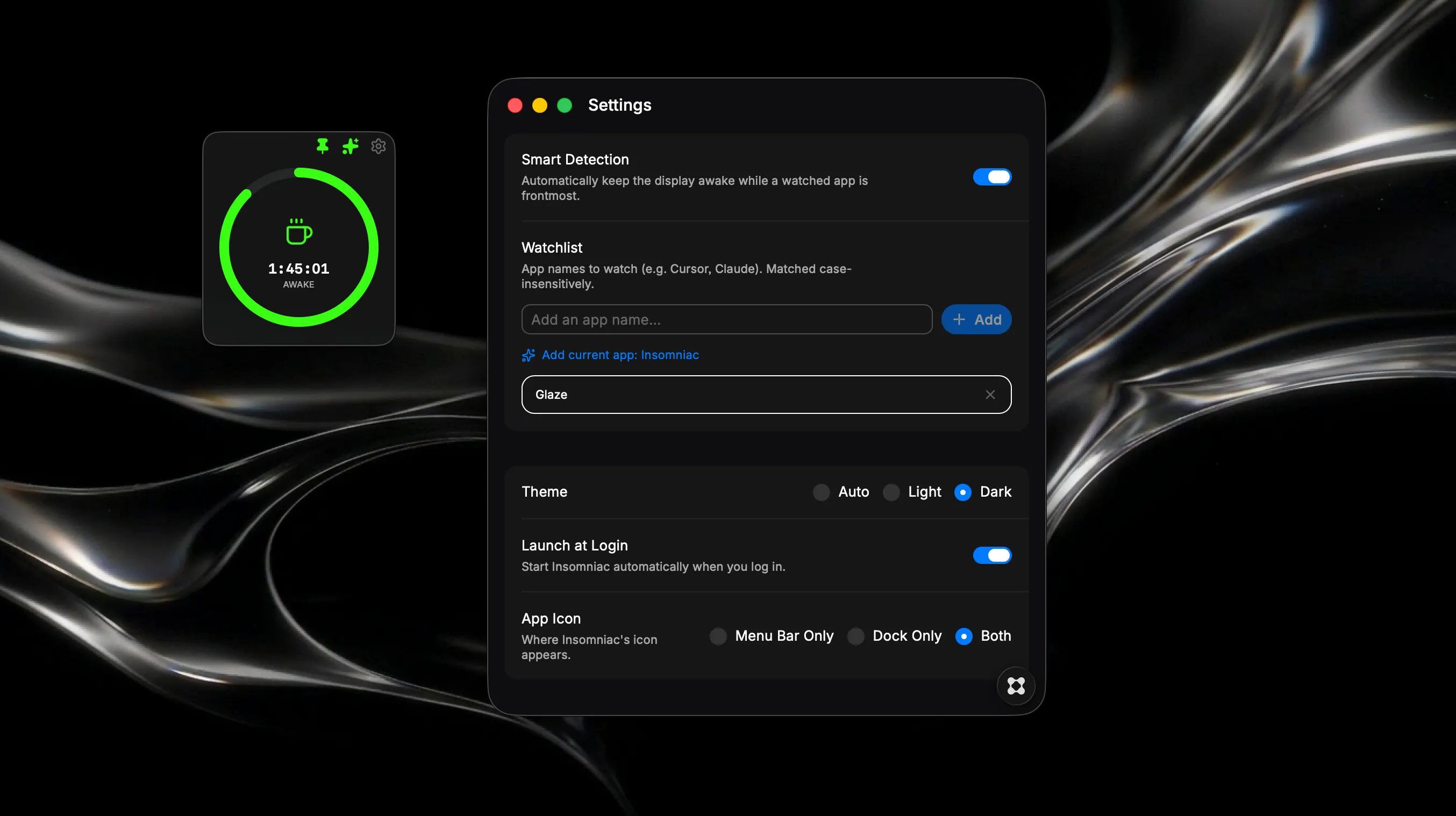
Ever lost your live debug state because your Mac decided it was time for a nap? Insomniac is a lightweight, native macOS menu bar utility built specifically for developers who need their screens to stay awake while coding, compiling, and debugging. No more jiggling the mouse or digging through System Settings—Insomniac handles your power state intelligently in the background so you can stay in the flow. Key Features • Smart App Detection: Insomniac watches your workflow. Add your essential tools (like Glaze, Cursor, or Claude) to the Watchlist, and Insomniac will automatically lock your screen awake the second they become active. When you switch away, normal sleep rules immediately resume. • Set It & Forget It: Toggle "Launch at Login" to have Insomniac run silently in your menu bar from the moment you boot up, ready to catch your active debug sessions without any manual input. • Precision Timers: Need to force a heavy build process without auto-detection? Use the Pomodoro-style manual timer. Set your duration, and Insomniac will run a native caffeinate -d process until the countdown ring hits zero. • Late-Night Aesthetics: Customize your menu bar and center ring with Dark Mode optimized icons. Choose from the signature glowing Acid Pill, the classic Coffee Mug, the Energy Drink, or the Debugging ladybug to match your setup. • Zero Bloat: Built natively in Glaze, Insomniac directly hooks into the macOS terminal to manage power states securely and efficiently, without draining your battery or hogging system resources. Stay focused, keep your display alive, and never let a screensaver ruin your debug session again.