Noted
Powerful notetaker just one hotkey away

About Noted
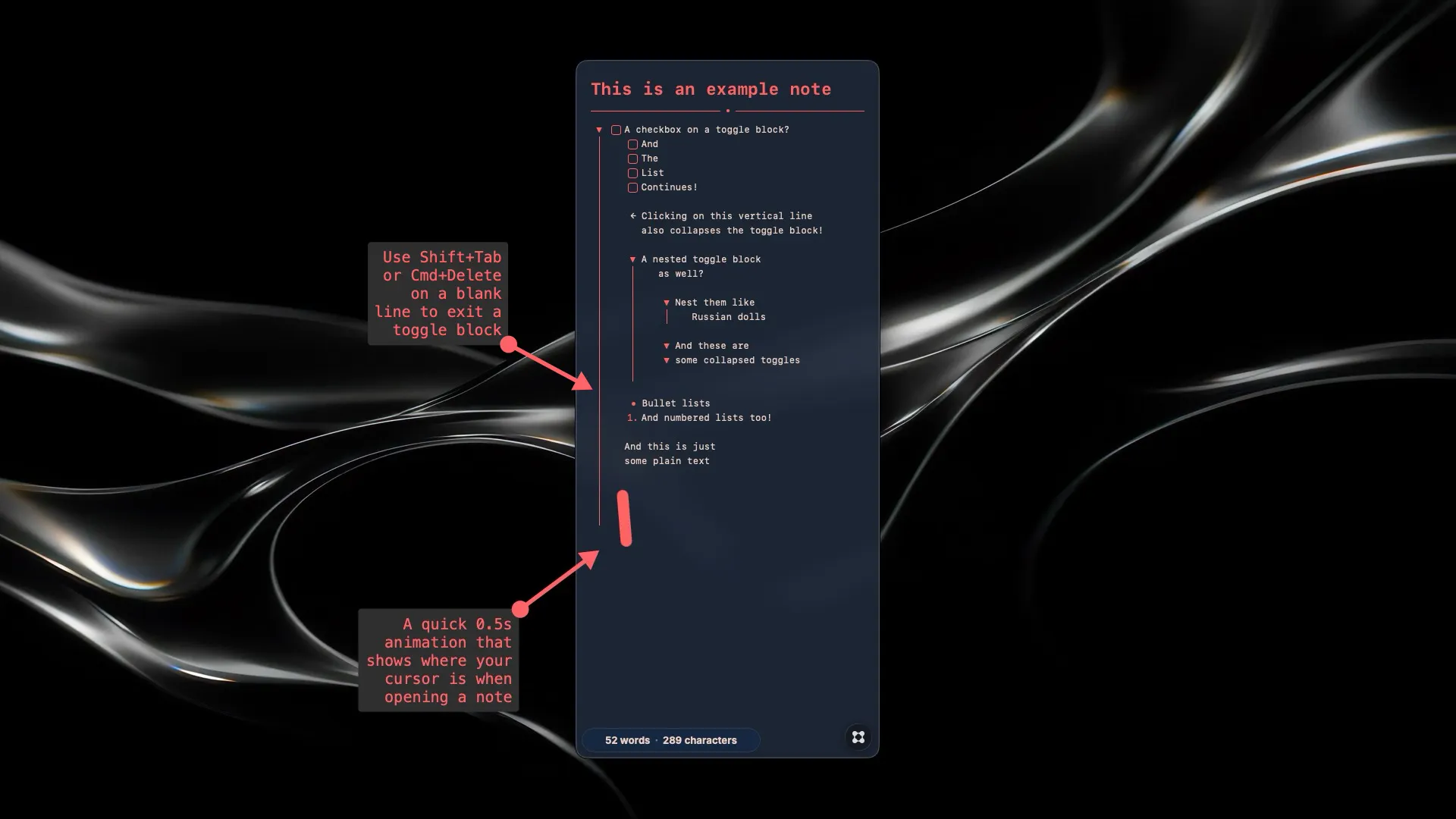
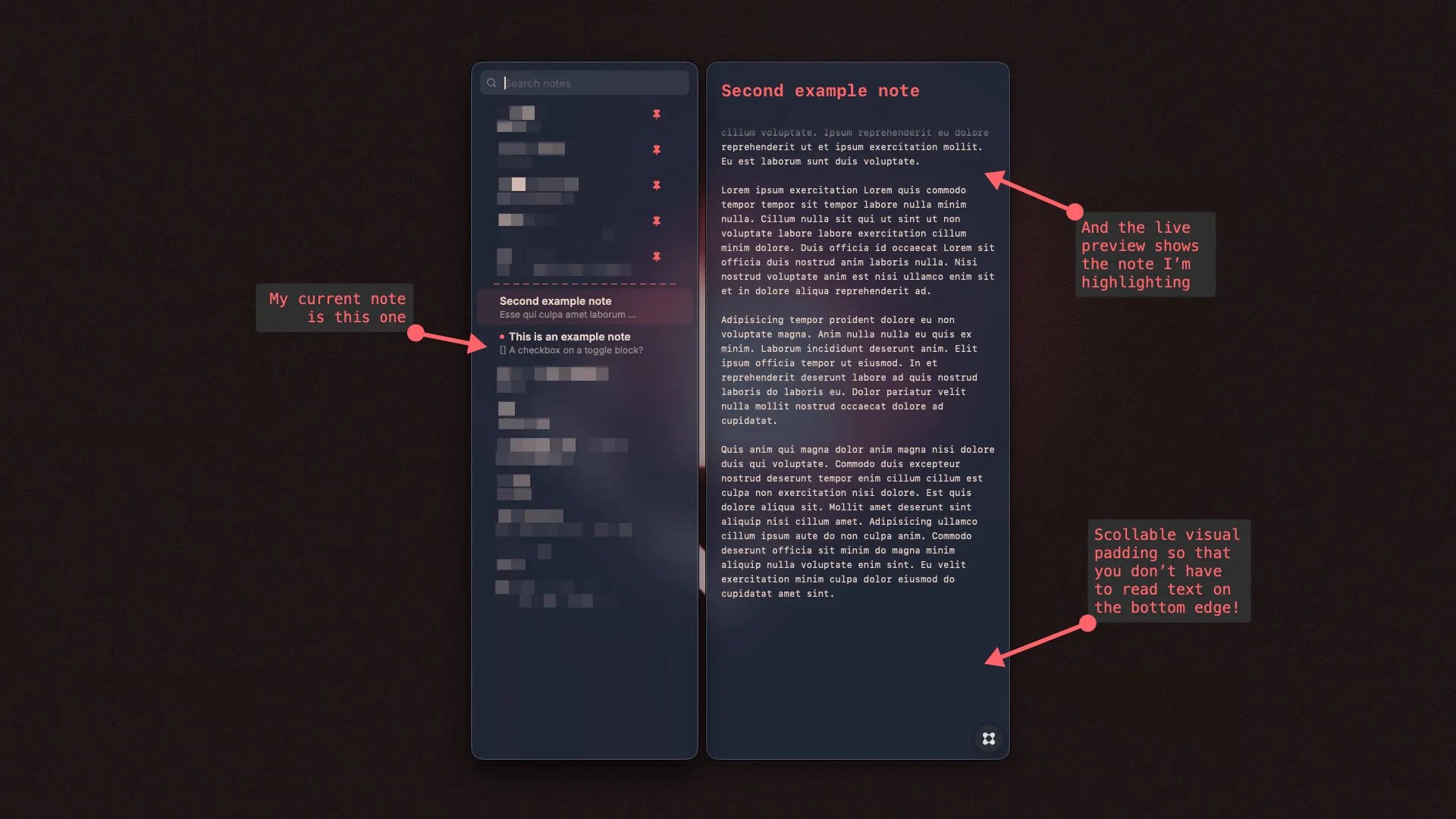
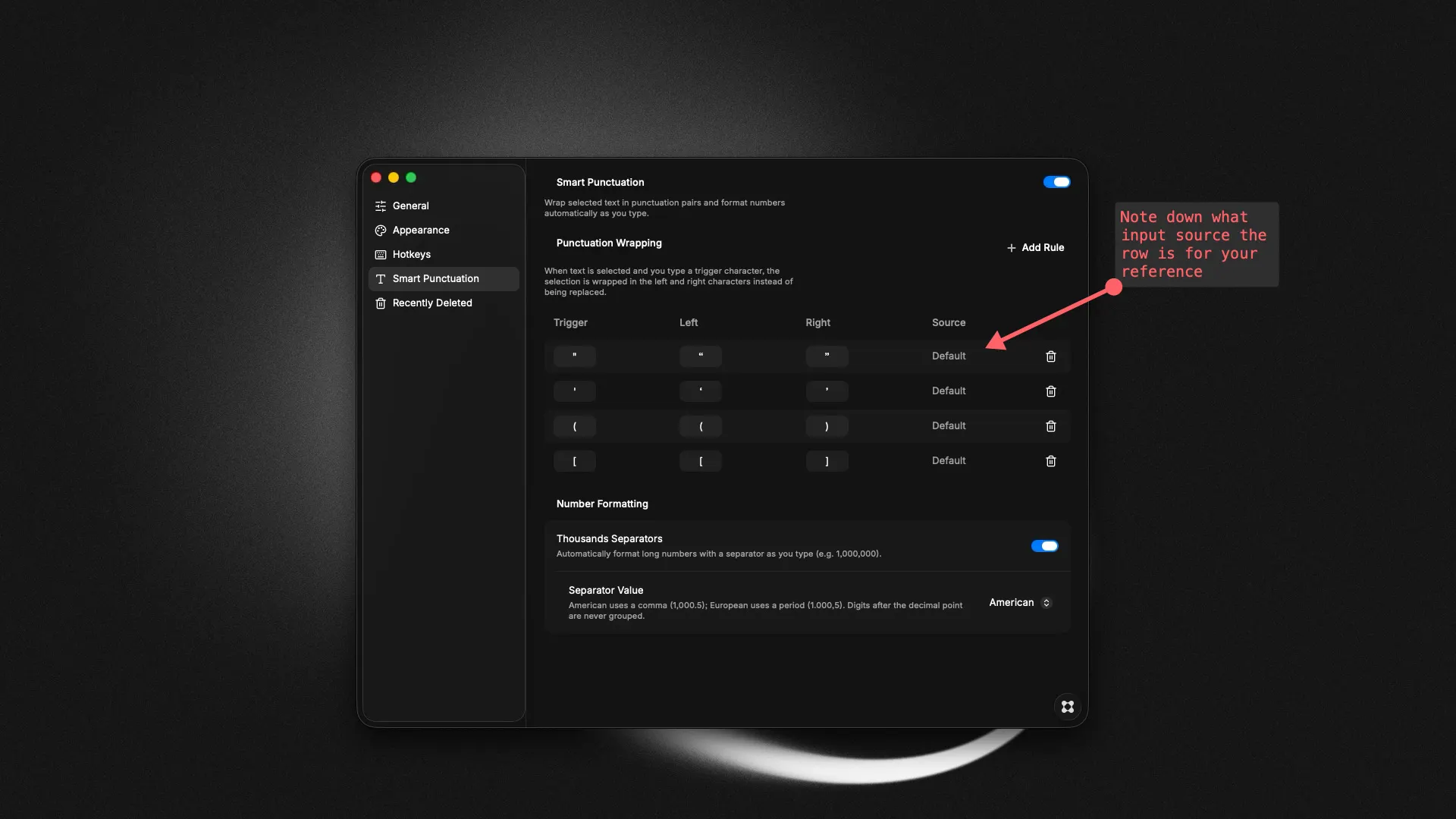
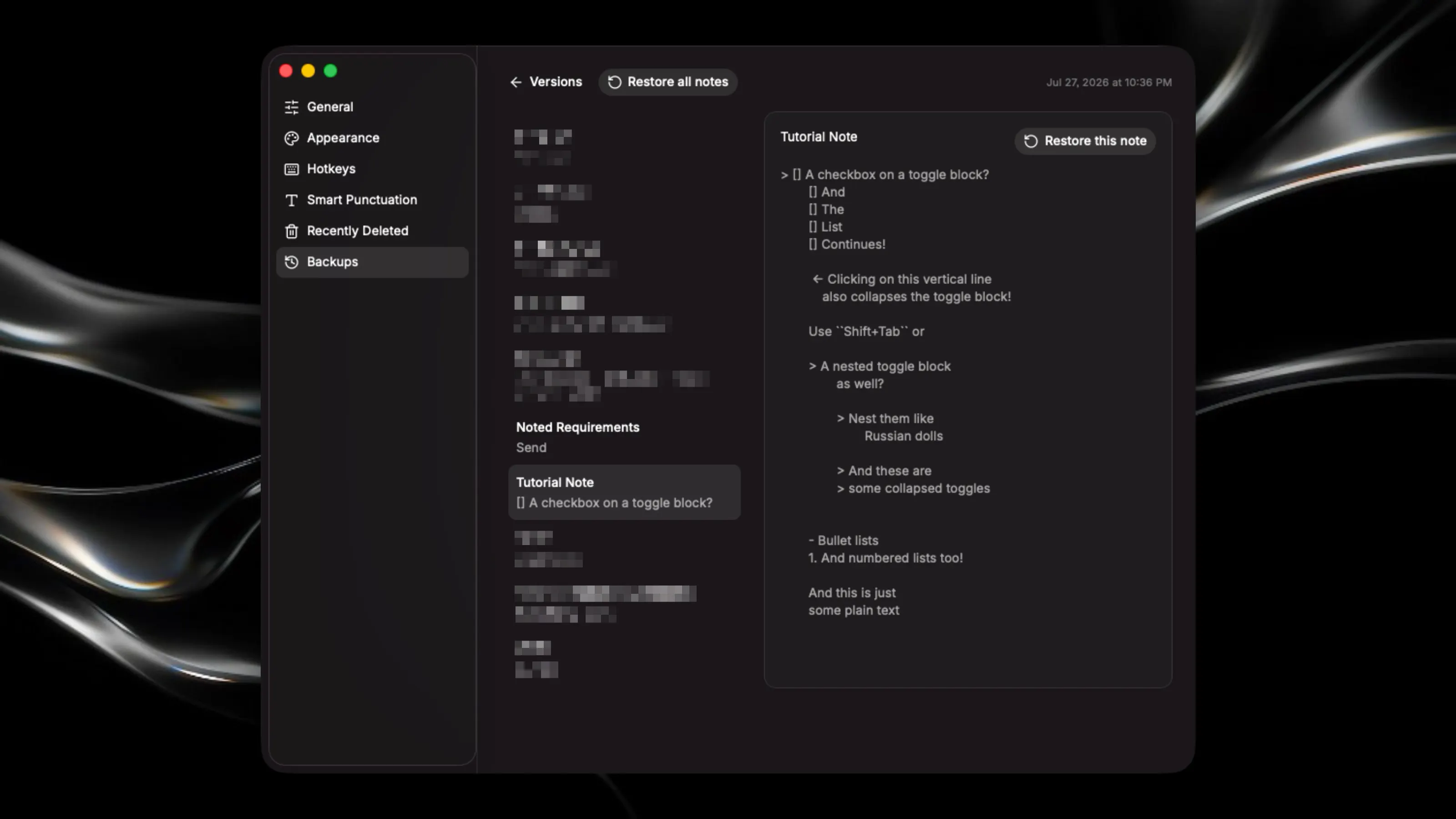
📝 Toggle open and closed a floating markdown notetaker with just one hotkey. Yes, this is a Raycast Notes alternative, and before you come at me, I’m a huge Raycast fan. There were just some additional features I wanted from Notes so this is my “fork” of it. It can do most things Raycast Notes does, so let me cover what’s new: 🌟🌟🌟 Highlights 🌟🌟🌟 🔻 Toggle blocks! Stack them with checkboxes, bullet lists, or numbered lists too (see pic 1) 🦐 When typing, if your cursor gets close to the note’s bottom edge, it'll autoscroll so that you’ll never be typing in a shrimp pose (see pic 2) 💾 Automatic backup and restoration so you never lose your progress again (see pic 4) 🌯 Smart punctuation wrapping: selecting text and pressing ( will wrap the text in ( ) automatically. Fully configurable. (see pic 3) ⇅ Move any line up/down, not just list items ❗ A quick animation plays when opening a note to indicate where your cursor is (see pic 1) 👀 Live preview when browsing other notes (see pic 2) ✨✨ Other features ✨✨ ➕ Customize the hell out of font size, font color, accent color, background tint, etc ➕ Drag and drop text anywhere ➕ Automatic thousands separator (the commas in 10,000,000). Supports both American and European formats, don’t worry. ➕ Hotkey to toggle floating behavior ➕ Drag and drop notes to reorder or pin/unpin them ➕ Global hotkey to close Noted even when it’s not focused ➕ Export a note as markdown There are a bunch of other smaller features for you to discover too. Hope you enjoy using the app!