Overlay
Ask AI about anything on your screen
About Overlay
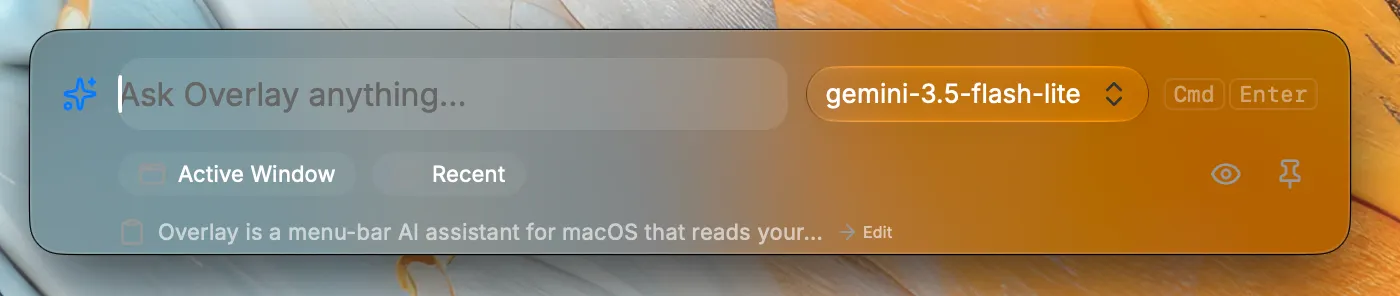
Overlay is a menu-bar AI assistant for macOS that reads your screen and answers questions about it from a floating command bar. Here's what it can do: Core flow: Press a global hotkey (⌘⇧Space by default) to open a floating, translucent command bar. Type a question and it captures your screen or active window, sends it to a vision-capable LLM, and streams a Markdown answer back — all using your own API key (OpenAI, Anthropic, Gemini, or a custom OpenAI-compatible endpoint). Smart Selection: Highlight any text, copy it, and press the hotkey — the overlay detects what you copied (code, a URL, a foreign language, an email/message) and offers one-tap actions like Explain, Find Bugs, Translate, Reply to This, or Open Link. Press 1–9 to trigger actions by keyboard. Conversation memory: Follow-up questions continue the same thread. A "Recent" dropdown lets you search and resume past conversations without leaving the overlay. Capture modes: Ask about the full screen, the active window, or drag-select a specific region. Quality-of-life features: Copy & Close in one tap, pin the overlay so it stays visible while you work in other apps, drag it anywhere and it remembers the position, partial-answer preservation if you cancel mid-stream, and a quick model switcher in the toolbar. Settings & privacy: Full settings window with provider/key management, capture preferences, Private Mode, and an onboarding flow. Keys are encrypted via macOS safeStorage. Conversation history is stored locally and searchable.