SnapPlan
Screenshots become plans you approve

About SnapPlan
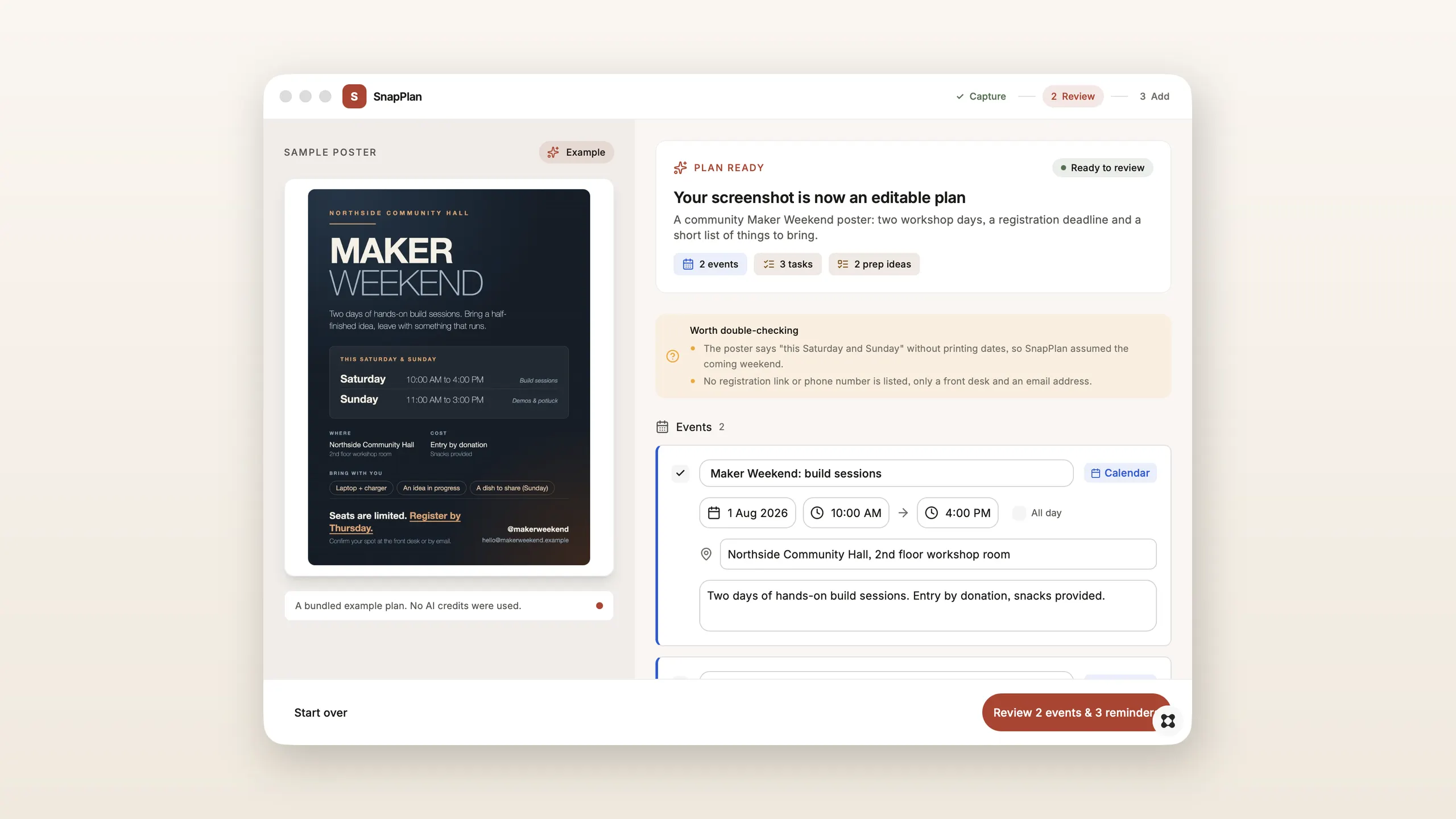
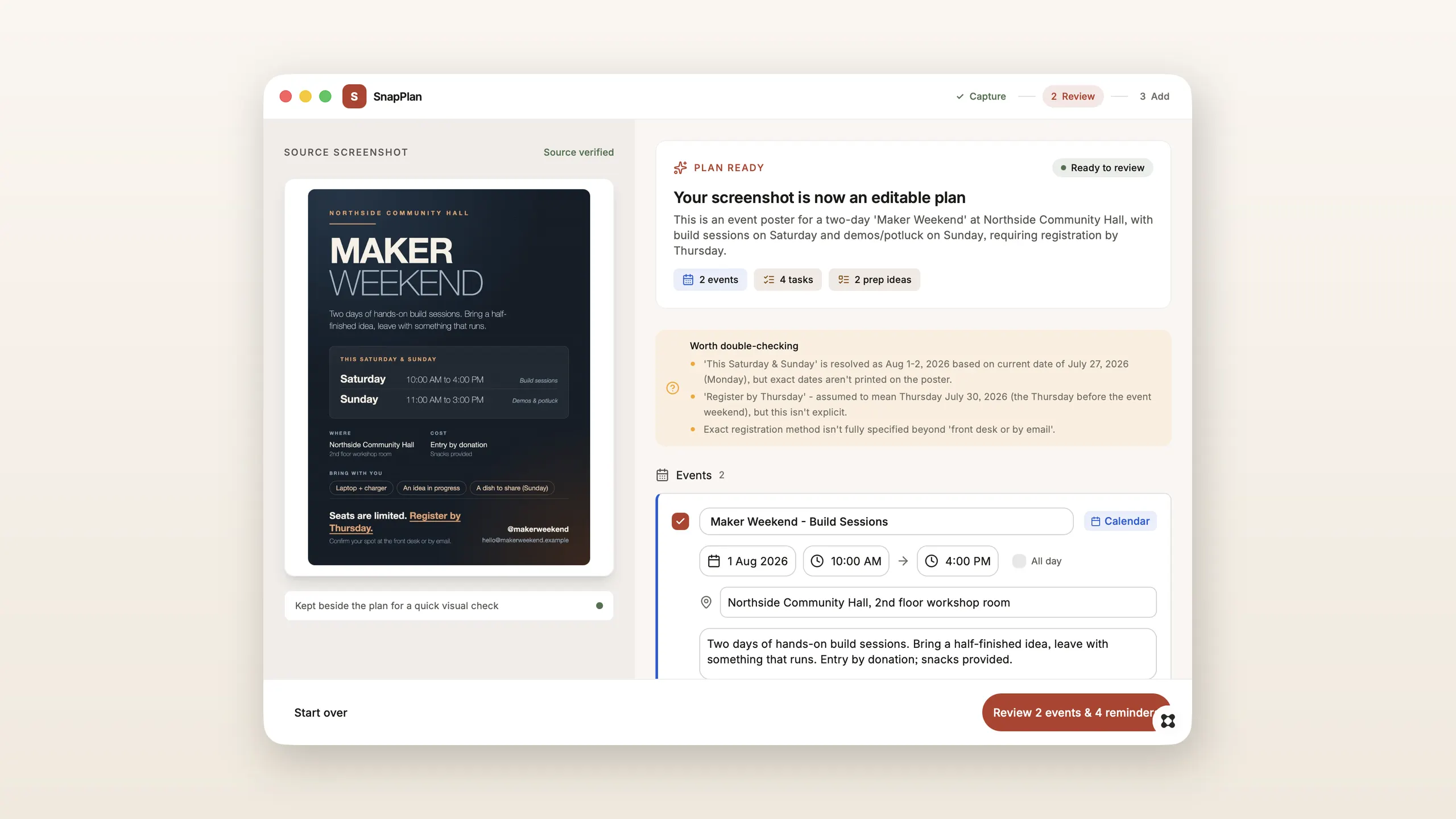
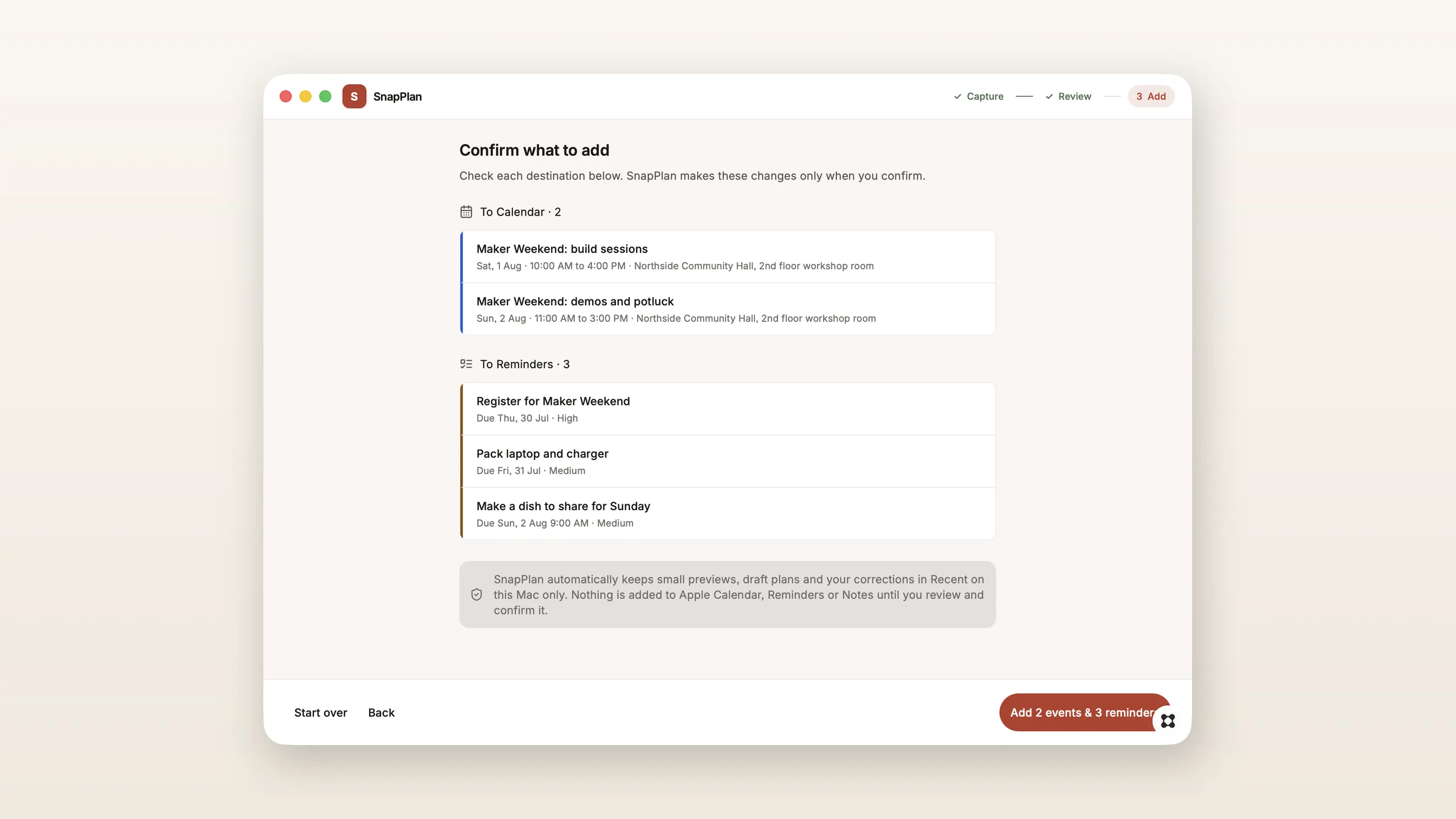
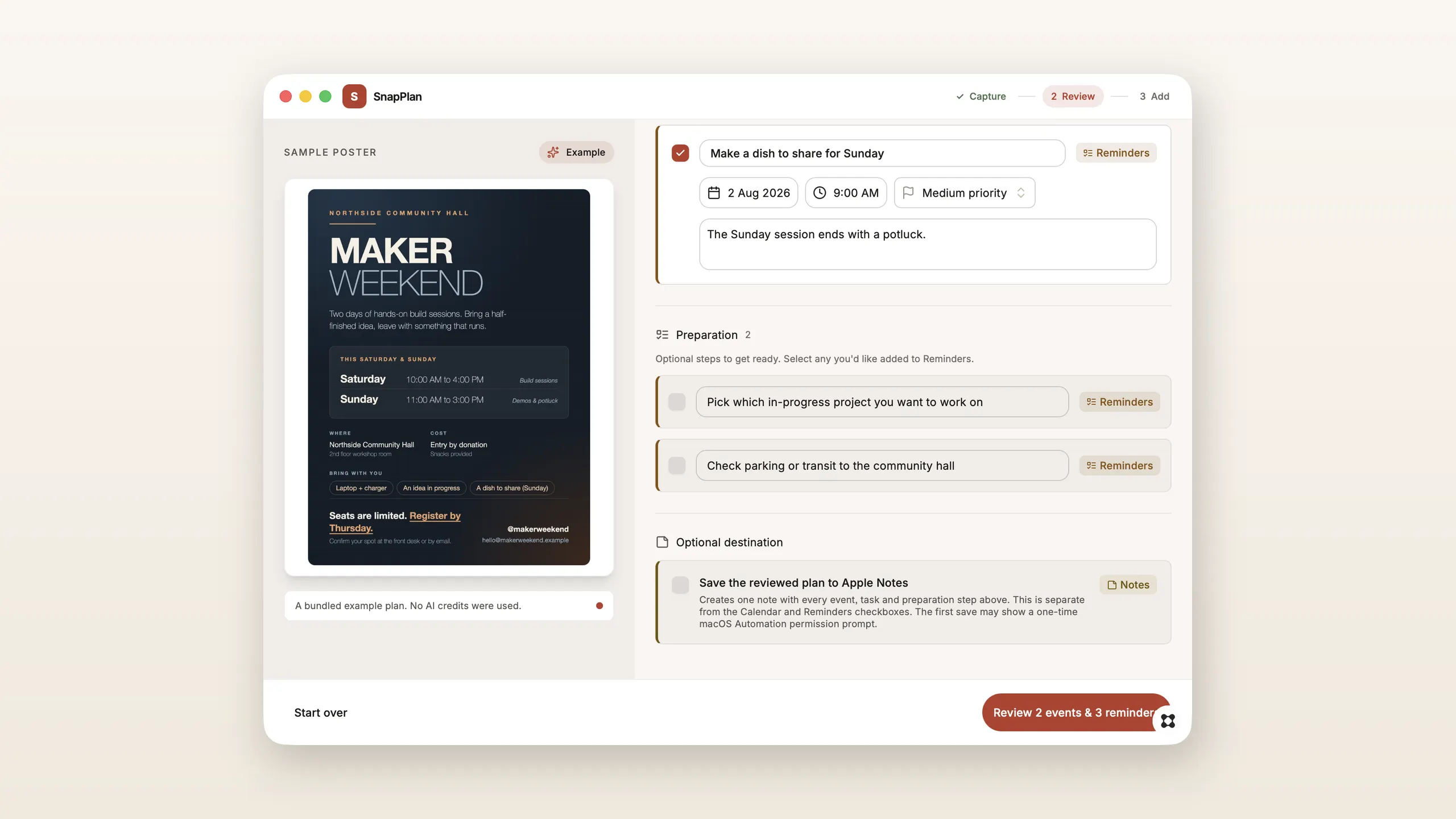
Some plans arrive as pictures. A workshop poster, a booking confirmation, a hostel itinerary, a receipt, a friend’s message with three dates buried in it. SnapPlan reads that screenshot and gives you back a plan you can edit. Capture a region of your screen, drop a file, or paste with Command V. SnapPlan drafts the events, tasks and preparation steps it finds, resolves relative dates like “this Saturday” against today, and tells you what it had to assume. You review every card beside the original image, correct what is wrong, tick only what you want, and nothing reaches Apple Calendar, Reminders or Notes until you confirm. - Reads posters, bookings, itineraries, receipts, assignments and conversation screenshots - Drafts events with start and end times, location and notes, plus tasks with due dates and priority - Lists what it inferred under “worth double-checking” rather than hiding the guesswork - Writes natively to Apple Calendar and Reminders, or saves the whole reviewed plan as one Apple Note - Keeps recent captures on this Mac only New: press “See a sample plan” on the first screen to walk the entire review and add flow with a bundled example, without spending a credit. Screenshot analysis uses your own Glaze AI credits.